
Pricing
Log In
AI Generator
Runway Gen-4.5 Image-to-Video Tool: Cinematic AI Video
Discover Runway Gen 4.5, a next-generation AI video model for cinematic, photorealistic output.
Runway Gen 4.5
Runway Gen 4.5 brings film-quality video generation to your fingertips: accurate physics, consistent character appearance, and precise camera control make it easy to turn a prompt into a production-ready sequence.
Why choose Runway Gen 4.5
Physical & Motion Fidelity
Runway Gen 4.5 delivers cinematic-level motion, featuring believable weight, inertia, and collision behavior, as well as fluid dynamics and hair/cloth continuity across frames — so generated footage reads and moves like real cinematography. It’s available directly within OCMaker AI for high-fidelity video creation.

Cinematic Prompt Control
The Runway video generator interprets shot-level directions (framing, camera moves, lens feel, and staging) with high fidelity, letting a single prompt produce multi-shot, filmic sequences without heavy manual editing.
Temporal Consistency & Character Stability
Advances in Runway generation ensure characters maintain consistent facial details, proportions, and lighting across cuts and angles, making multi-scene storytelling and episodic work far more reliable.

Integrated Audio & Multi-shot Workflow
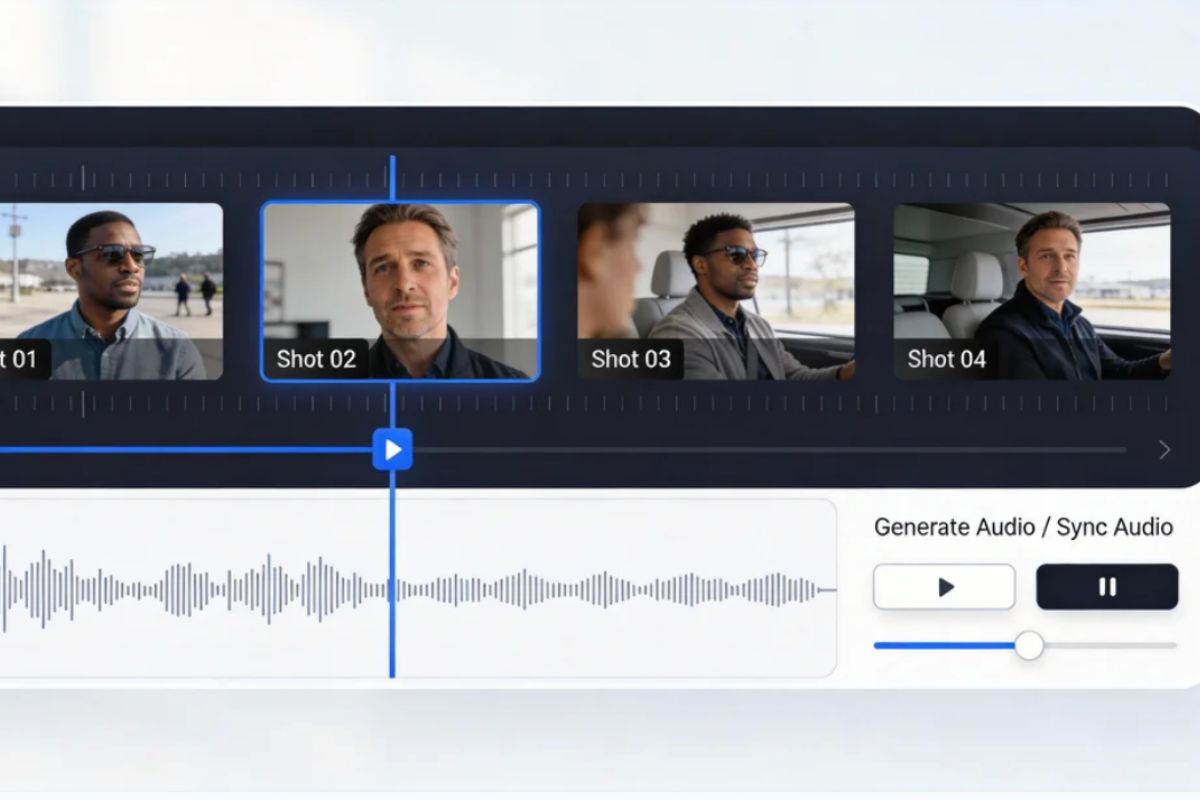
Runway AI combines native audio generation and synchronized multi-shot editing tools so picture-and-sound iterations happen inside one streamlined production flow, speeding delivery of production-ready sequences.
How to Use Runway Gen 4.5?
Simple steps to generate cinematic, photorealistic AI video
01
Upload your reference media
Start by uploading an image or video reference to set the visual style, character appearance, and overall atmosphere for your Runway Gen 4.5 output.
02
Describe your scene and motion
Describe the scene, actions, camera angles, lighting, and atmosphere. Add any specific motion, facial expressions, or style cues to steer the result.
03
Choose settings and generate
Pick resolution, aspect ratio, and length, then hit Generate. Check the result, refine if needed, and export the final video.
Frequently Asked Questions