AI Generator

Qwen Image AI Generator: Qwen-Image 3.0 with Readable Text

Use Qwen Image 3.0 on OCMaker AI to create 2K images with clean English and Chinese text, or edit an image you upload. Free plan, 2 credits per image.

Qwen Image AI Generator

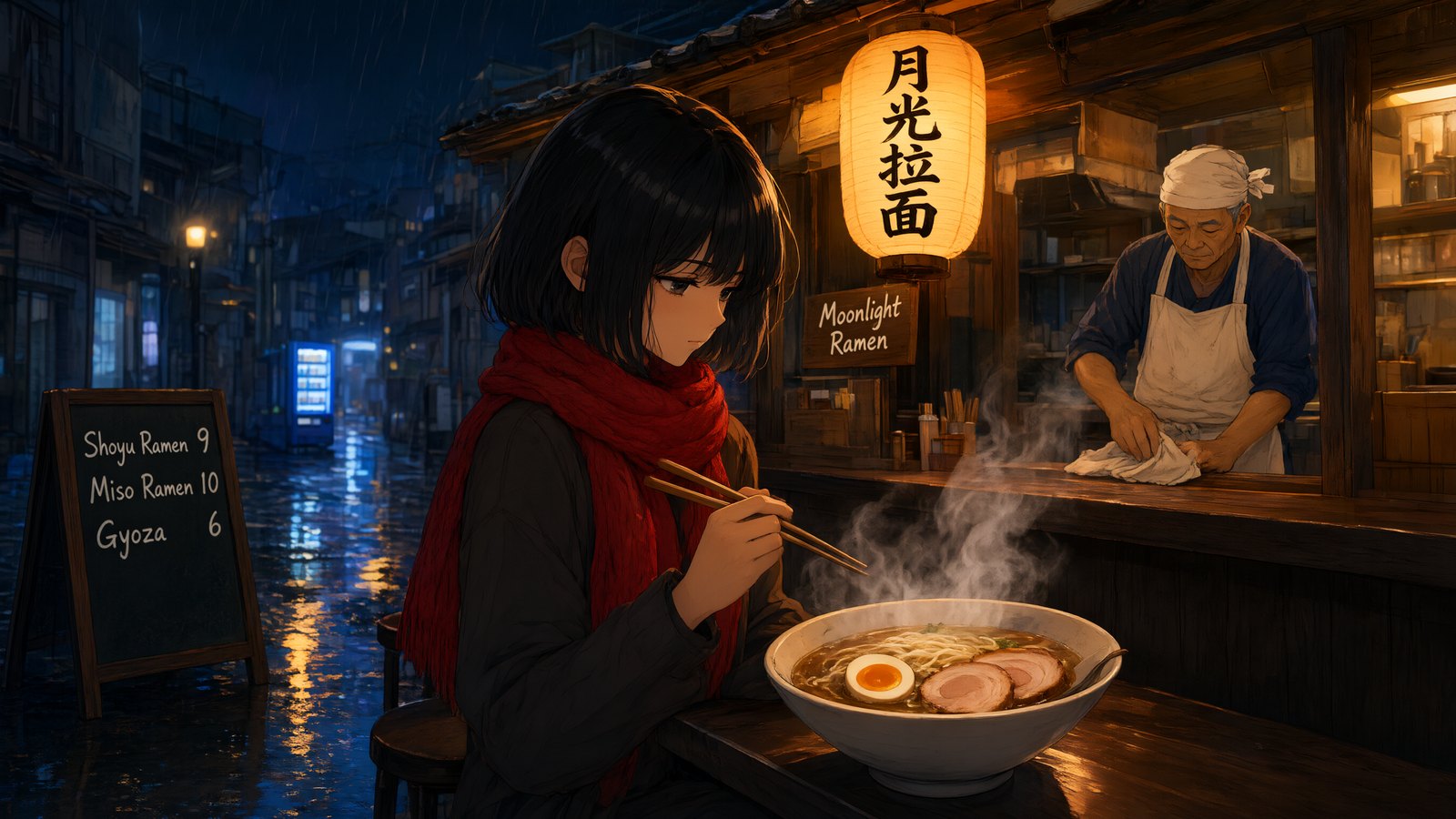
Qwen Image 3.0 is the newest version of Alibaba's Qwen-Image model, known for putting clean, readable text into pictures. On OCMaker AI you can generate 2K images from a prompt or edit an image you upload, on the free plan, for 2 credits per image.

A rainy-night ramen stall with a lantern reading 月光拉面 and a sign reading Moonlight Ramen, made with Qwen Image 3.0 on OCMaker AI

What You Can Make with Qwen Image 3.0

Every example on this page was generated on OCMaker AI with Qwen Image 3.0.

0104

Posters with Readable Titles

Put the exact words in quotes and Qwen Image 3.0 lays them out as part of the design. This poster came from one prompt: the title “STARLIGHT COURIER”, a one-line tagline, small credits at the bottom and a courier girl cycling past the moon. Use it for fan-made movie posters, book covers and event flyers.
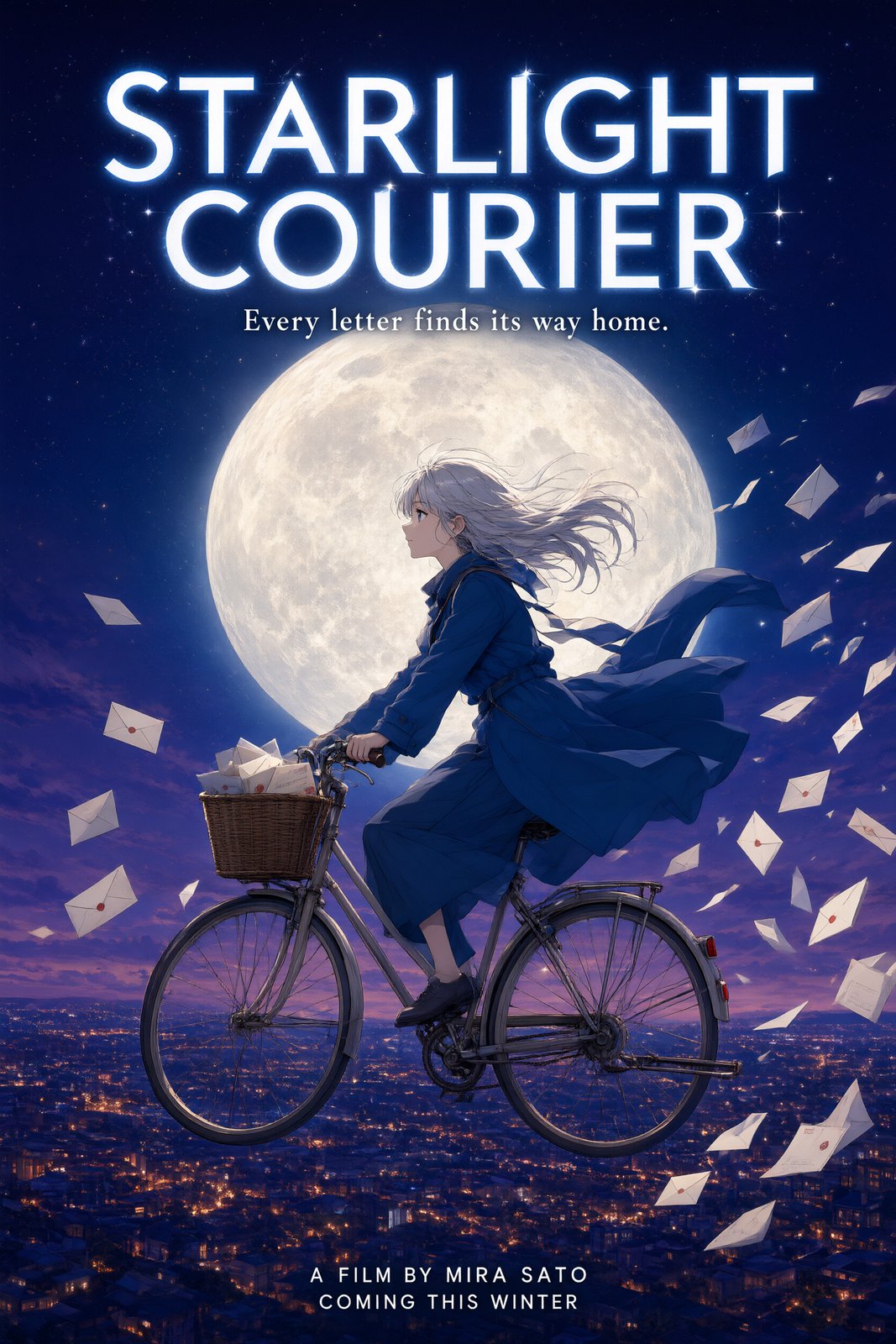
Anime movie poster with the title STARLIGHT COURIER, made with Qwen Image 3.0 on OCMaker AI

0204

Signs in English and Chinese

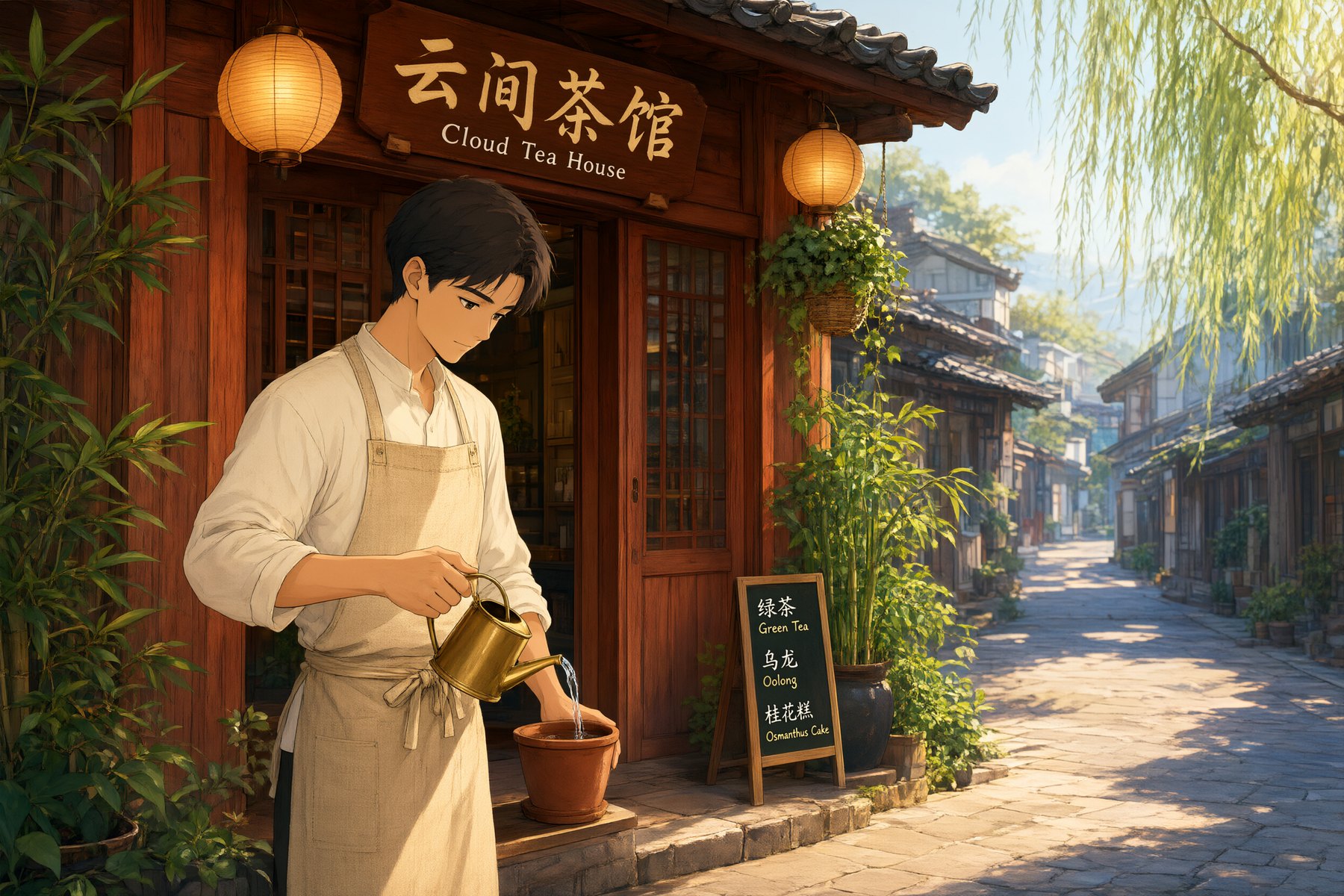
Qwen Image handles Chinese characters especially well. This storefront came out with the sign “云间茶馆 / Cloud Tea House” and a bilingual menu board written exactly as asked. Use it for shop signs, menus and posters for both audiences.

A tea house with a sign reading 云间茶馆 and Cloud Tea House and a bilingual menu, made with Qwen Image 3.0 on OCMaker AI

0304

Recipe Cards and Infographics

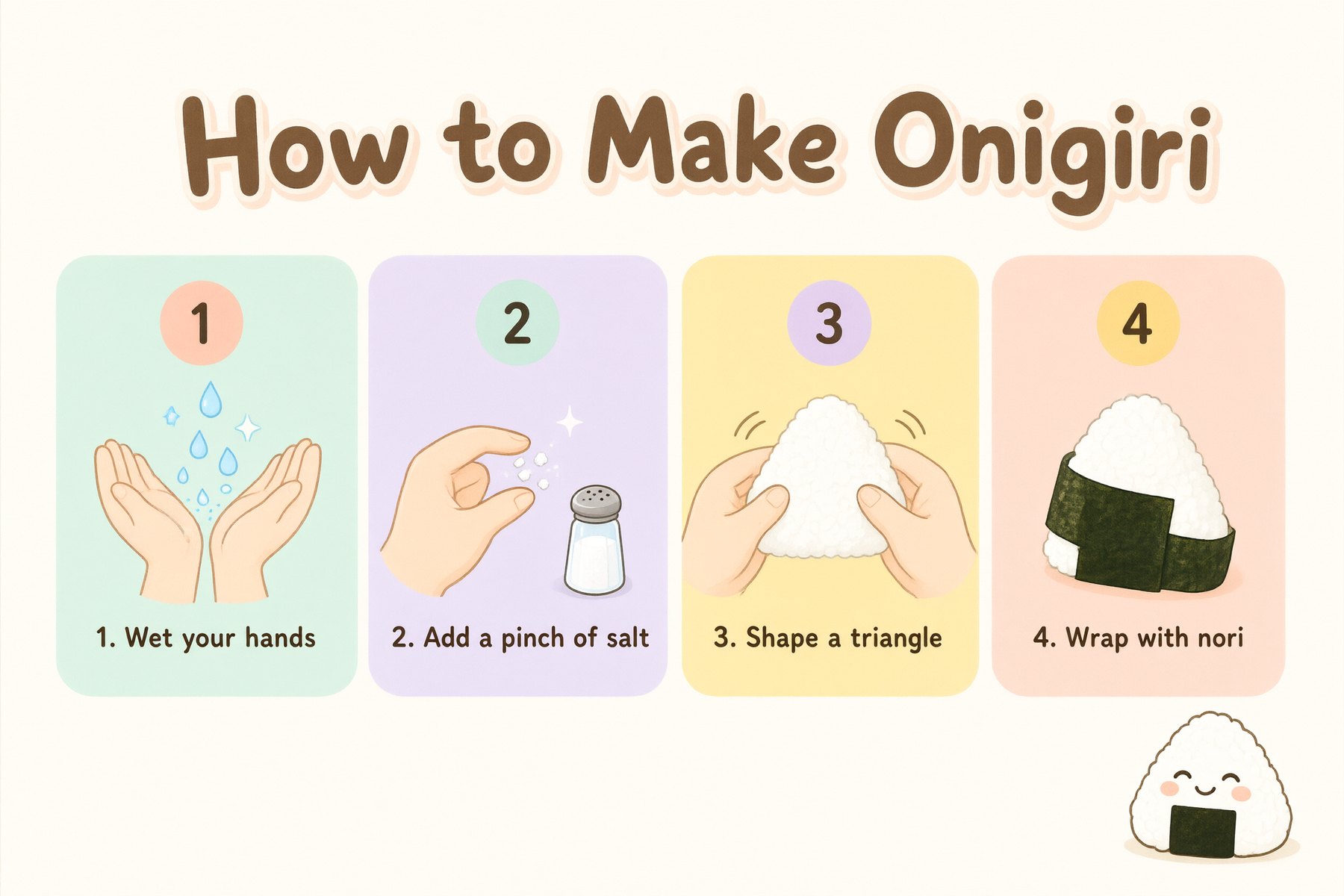
Ask for numbered panels with short captions and Qwen Image 3.0 keeps the layout neat and the words spelled right. This card shows four steps for making onigiri, each with its own drawing and caption.

Illustrated recipe card titled How to Make Onigiri with four numbered steps, made with Qwen Image 3.0 on OCMaker AI

0404

Edit an Image You Upload

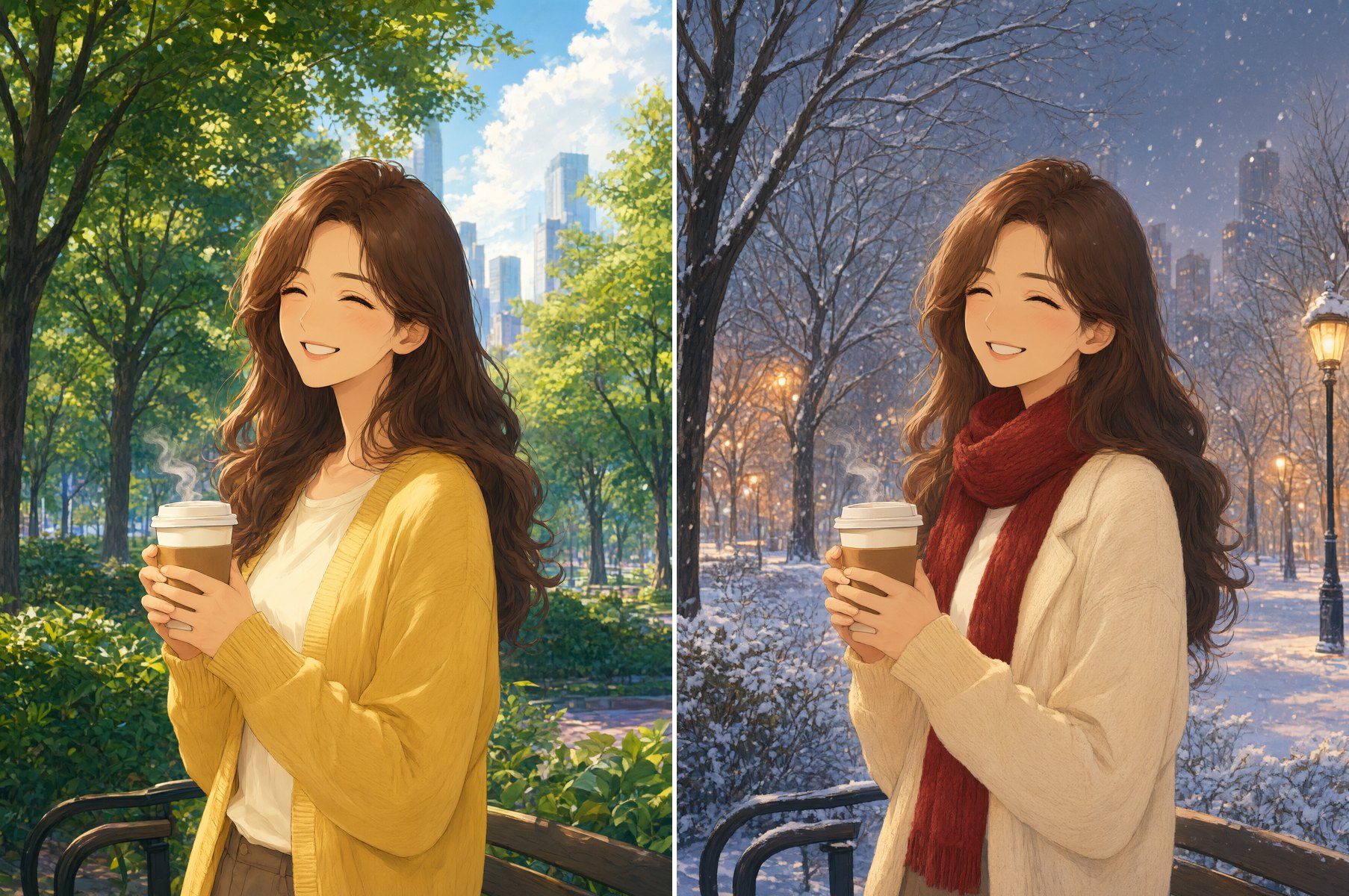
Upload one image and say what to change and what to keep. Left: the original. Right: the same woman moved to a snowy winter evening, in a new coat and scarf, with her face, hair, pose and coffee cup unchanged.

Before and after: an anime woman in a summer park, then the same woman on a snowy winter evening, edited with Qwen Image 3.0

Qwen Image 3.0 on OCMaker AI at a Glance

What you get when you pick Qwen Image 3.0 in the generator above.

  • 01

    Clean, readable text

    Titles, signs, menus and captions come out as written, in English and Chinese. Keep the text short and put it in quotes.

  • 02

    Generate or edit

    Start from a prompt, or upload one image to change the outfit, season, background or style.

  • 03

    2K output

    Every image is generated at 2K, sharp enough for wallpapers, posters and covers.

  • 04

    Square, portrait or widescreen

    Pick 1:1, 2:3, 3:2, 9:16 or 16:9 for posters, phone wallpapers, thumbnails and banners.

  • 05

    Up to 4 images per run

    Generate 1, 2 or 4 variations at once and keep the best one.

  • 06

    2 credits per image

    Available on the free plan. Four images cost 8 credits.

How to Use Qwen Image

Three steps from idea to finished image.

  1. Open the generator

    Qwen Image 3.0 is already selected at the top of this page. Choose an aspect ratio and how many images you want.

  2. Describe the image, or upload one to edit

    Write the subject, setting, lighting and style. Put any words that must appear in quotes, and keep them short.

  3. Generate and refine

    Compare the results, then change one detail of the prompt at a time. Download the image you like best.

FAQ

What is Qwen Image?

Qwen Image is the image generation model from Alibaba's Qwen team. Qwen-Image 3.0, the version on OCMaker AI, came out in July 2026 and focuses on text-heavy images such as posters, signs and infographics, as well as image editing.

Is Qwen Image free to use on OCMaker AI?

Yes. Qwen Image 3.0 is available on the free plan and costs 2 credits per image. A run of four images costs 8 credits.

Can Qwen Image write Chinese text?

Yes, and it is one of its strengths. Put the exact characters in quotes, keep them short, and say where they go, such as on a sign or a menu board. Check small or complex text before you use an image for print.

Can I use Qwen Image 2.0 here?

OCMaker AI runs Qwen-Image 3.0, the newer version. Earlier versions such as Qwen-Image 2.0 were released as open weights you can run yourself, while 3.0 is offered as a hosted model, so here you can use it in the browser without any setup.

What resolution and aspect ratios does it support?

Images are generated at 2K. You can choose 1:1, 2:3, 3:2, 9:16 or 16:9, and generate 1, 2 or 4 images per run.

How is Qwen Image different from GPT Image 2.5?

Both are on the free plan at 2 credits per image, generate at 2K and can edit an image you upload. Qwen Image 3.0 is a natural pick for Chinese text and text-heavy layouts such as menus and infographics, while GPT Image 2.5 is a good all-rounder for anime art and character sheets.

Create with Qwen Image on OCMaker AI

Posters, signs, infographics and edits at 2K, for 2 credits per image.

Qwen Image AI Generator: Qwen-Image 3.0 with Readable Text