AI Image Animation

Animate your images with one click.

AI Animation Generator

Turn any still image into an animation in seconds. Upload a portrait, character or product photo and the AI animation generator adds smooth motion, natural expressions and cinematic camera moves.Animate your picture now!

Animate Photos Online for Portraits, Products, and Social Media

0103

Animate Any Picture and Bring Images to Life with AI

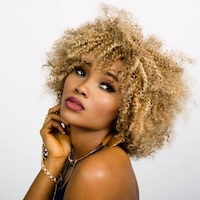
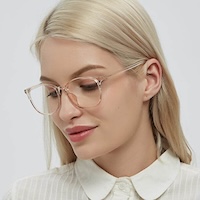
Turn a still image into a short motion clip in just a few clicks. AI image animation can analyze faces, poses, and scene details, then add natural movement like blinking, gentle head turns, and subtle camera motion to make images feel alive. It works well for portraits, lifestyle shots, thumbnails, and everyday content when you want to animate photos online without learning editing software. OCMaker AI makes it easy to create polished moving visuals from a single image.
0203

Animate Photos for Social Media, Selfies, and Character Content

AI photo animation is a simple way to make selfies, portraits, and character images more engaging on TikTok, Reels, Shorts, and story-based content. You can add motion like hair movement, light camera zooms, or expressive facial action to help static pictures stand out faster in the feed. This also works well for stylized avatars and illustrated characters, especially when paired with an AI anime generator workflow before animation.

0303

Make Product Images Move for Ads, Stores, and Marketing Visuals

If you want to make images move for ads or ecommerce, AI image animation can turn product photos into short motion assets without planning a full video shoot. Add small but effective movements like fabric sway, object rotation, or cinematic push-ins to create more scroll-stopping visuals for landing pages, email banners, and paid campaigns. If you need to create a visual from scratch before animating it, a text to image workflow can help generate the starting asset first.

How to Use the AI Animation Generator

  1. Upload Your Image

    Choose a photo from your device – portrait, couple shot, product image, or any still picture you want to animate. Common formats like JPG, JPEG, and PNG are supported.

  2. Pick a Motion Style

    Select an animation template or style: subtle camera moves, expressive facial motions, or dynamic actions. Optionally add a short text prompt to guide mood and movement.

  3. Generate and Download

    Click generate and let AI transform your image into a short MP4 animation. Preview the result, then download and share it across social media or use it in your projects.

Explore the Features of OCMaker AI Image Animation

  • 01

    AI-Powered Image to Video

    Advanced AI models analyze your still image and generate smooth, realistic motion, instantly turning photos into short video clips.

  • 02

    Multiple Animation Templates

    Choose from an ever-growing set of presets, including subtle loops, dynamic camera movements, romantic couple motions, and fun dance-style animations.

  • 03

    Supports Solo & Duo Photos

    Animate single portraits or two-person images. Bring individuals or couples to life with interactive motions like hugging, leaning, or playful gestures.

  • 04

    No Editing Experience Needed

    Skip complex timelines and keyframes. Upload, pick a template, and generate – our web-based interface is designed for complete beginners.

  • 05

    High-Quality MP4 Output

    Export watermark-free animations on paid plans in MP4 format, ideal for social platforms, ads, and professional projects.

  • 06

    Free Online Access

    Sign up to get free image animation credits and explore what’s possible before upgrading for higher limits and advanced options.

AI Image Animation for Eye-Catching Visual Stories

OCMaker AI Image Animation converts static visuals into short, polished motion clips. From personal portraits to marketing visuals, you can generate engaging animations that tell a story in seconds – no camera, no editing software, just your images and our AI.

  • 01

    Animated Portrait Clips

  • 02

    Romantic Couple Animations

  • 03

    Product Image Motion Shots

User Comments

  • I animated a few profile photos and instantly saw higher engagement on my Reels. It feels like having a mini video team built into my browser.

    Lena, Content Creator

  • Instead of reshooting products, we now animate our best photos. The motion clips perform great as ad creatives and save us a ton of time.

    Marco, E-commerce Marketer

  • The interface is straightforward, and the animations look smooth. I use OCMaker to quickly mock animated visual ideas for clients.

    Aya, Designer

AI Animation Generator FAQ

Clear answers for animating photos, making images move, and turning still pictures into short videos.

What is an AI animation generator?

An AI animation generator turns a still image into a short animated video by adding natural motion such as blinking, head turns, light camera movement or object motion. On OC Maker AI it works as AI image animation: upload a portrait, product shot, couple photo or character art and get an MP4 clip without manual video editing.

How do I animate photos online with AI?

To animate photos online, upload a clear image, choose a motion style, and let AI generate a short animated clip for you. This is one of the easiest ways to turn a static picture into motion for Reels, Shorts, ads, or personal content.

How can I make an image move with AI?

If you want to make an image move with AI, start with a well-lit photo and apply motion such as facial expression changes, hair movement, subtle zooms, or small object motion. AI image animation works by analyzing the subject and composition, then creating movement that feels more alive and watchable.

Can AI turn a still image into animation?

Yes. AI can turn a still image into animation from a single photo, which is why terms like animated image generator, AI photo animation, and image animation online are so popular. This works especially well for portraits, selfies, product images, and creator content.

What photos work best for AI photo animation?

Portraits, selfies, couple photos, character images, and clean product shots usually work best. Clear subjects, good lighting, and higher-resolution images help the AI create smoother movement and more convincing animated results.

What is the difference between AI image animation and image to video?

AI image animation usually focuses on making one still picture move with natural motion, while image-to-video can be a broader workflow that includes more stylized or scene-driven generation. If your goal is to animate a photo, bring an image to life, or create a short moving clip from one picture, AI image animation is often the more direct option.

Can I use AI animated photos for social media and marketing?

Yes. AI animated photos are commonly used for social posts, ad creatives, landing pages, email banners, and short promotional content. They are especially useful when you want to make pictures move and attract more attention without planning a full video shoot.

Is there a free online tool to animate pictures with AI?

Yes. New users get free credits when they sign up, so you can animate a few pictures and try different motion styles before paying for more credits or a membership.

Can I make a full animated story, not just one clip?

Yes. AI Story turns one idea or a script into a 30 or 60-second anime short: it writes the script, designs the characters, films every scene and adds voices and subtitles.

Bring Images to Life with OCMaker AI

Animate photos, make pictures move, and turn still images into short video clips with OCMaker’s AI creative workflow. Start with AI image animation, then expand into image-to-video, text-to-image, and video generation tools in one place.

AI Animation Generator: Animate Images & Photos into Video