Veo 3.1 AI Video Generator

Veo 3.1 is Google's latest video model, and it generates sound together with the picture. On OCMaker AI you can use it in three versions — Veo 3.1, Veo 3.1 Fast and Veo 3.1 Lite — to turn a text prompt or a single image into a 4, 6 or 8-second clip at 720p or 1080p, or 4K on Veo 3.1 and Veo 3.1 Fast.

Veo 3.1 Examples

Example clips created on OC Maker.

  • 01

    A massive dragon soaring above ancient floating islands in a fantasy sky world, waterfalls falling into the clouds, dramatic sunlight breaking through storm clouds

  • 02

    A glowing enchanted forest at night with bioluminescent plants and floating fireflies, a mysterious pathway leading deeper into the woods, soft mist drifting through trees

  • 03

    A lively ancient marketplace filled with merchants, colorful fabrics, and lanterns, people walking and trading goods, warm sunset lighting

What You Can Make with Veo 3.1

Example clips created on OCMaker AI. Each description includes a prompt idea you can try with Veo 3.1.

0104

Sound Comes with Every Clip

Veo 3.1 creates the sound and the picture together, so name one sound per beat — a ringing hammer, a whoosh of the bellows, a hiss of steam — plus the room tone underneath. Prompt idea: a blacksmith hammers a glowing blade, quenches it in water, then holds it up to the firelight.

0204

Start from Your Own Image

Add an image and the clip starts from it, so the person, outfit and setting stay as they are; the video follows the shape of your image. Prompt idea: the potter draws the clay up into a taller bowl, lifts her hands away and smiles at the camera.

0304

Direct the Camera

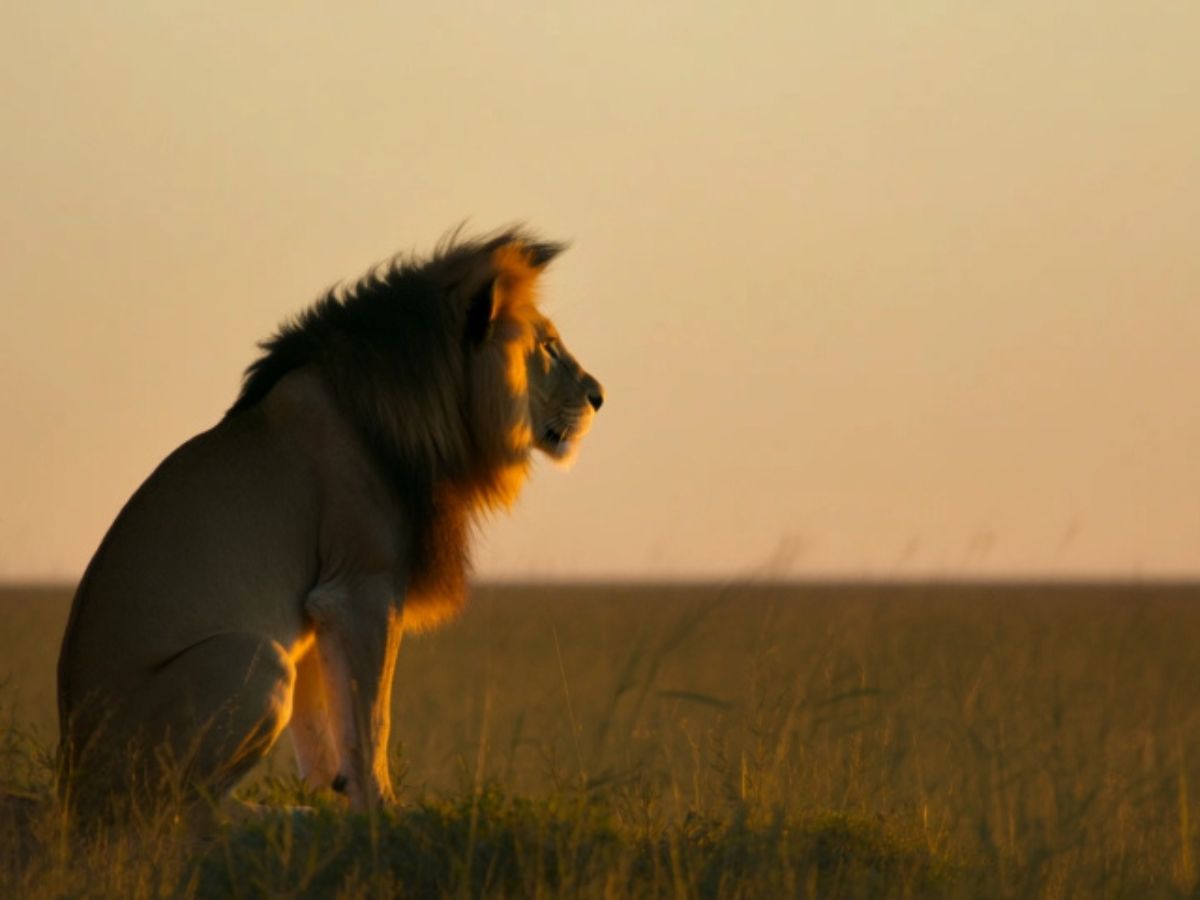
Give each shot a camera move — tracking alongside, a low angle over a jump, a drone shot rising overhead — and keep the same subject in every shot. Prompt idea: a rider gallops across golden grassland at dawn, leaps a stream and slows to a stop, looking back at the camera.

0404

From Live Action to 3D Animation

Set the look at the start of your prompt — live action, 3D animation, anime or watercolor — and describe the light and textures you want. Prompt idea: a small copper teapot robot waters tomatoes in a rooftop garden at sunset, and a butterfly lands on its lid.

Veo 3.1 on OCMaker AI at a Glance

  • 01

    Three versions

    Veo 3.1 for the best quality, Veo 3.1 Fast for everyday clips, and Veo 3.1 Lite from 11 credits. All three are member models.

  • 02

    Text or image to video

    Start from a prompt alone, or add an image to use as the first frame.

  • 03

    4, 6 or 8 seconds

    Pick the length you need; a shorter clip costs fewer credits.

  • 04

    720p, 1080p or 4K

    720p and 1080p cost the same. 4K is available on Veo 3.1 and Veo 3.1 Fast.

  • 05

    Native audio

    Sound effects, ambience and music are generated with every clip, so there is no separate audio step.

  • 06

    Portrait or landscape

    Text-to-video clips come in 9:16 or 16:9; image-to-video follows the shape of your image.

How to Use Veo 3.1

  1. Pick a Veo 3.1 version

    Veo 3.1 Fast is already selected in the generator above. Switch to Veo 3.1 for the best quality, or to Veo 3.1 Lite to spend less.

  2. Describe the shots and the sounds

    Type a prompt for text to video, or add an image to animate. Describe the action beat by beat, the camera move of each shot and the sounds you want to hear.

  3. Choose length and resolution, then generate

    Pick 4, 6 or 8 seconds and 720p, 1080p or 4K; the credit cost updates as you choose. Download the clip when it is ready.

More AI Video Models

Veo 3.1 FAQ

Discover answers to your queries about Veo 3.1's functionalities, features, and integration capabilities.

What is Veo 3.1?

Veo 3.1 is a video model from Google DeepMind that generates sound together with the picture. On OCMaker AI you can use it for text-to-video and image-to-video, with clips of 4, 6 or 8 seconds at 720p or 1080p, or 4K on Veo 3.1 and Veo 3.1 Fast.

What is the difference between Veo 3.1, Veo 3.1 Fast and Veo 3.1 Lite?

All three work from text or an image, make 4 to 8-second clips and include sound. Veo 3.1 gives the highest quality, Veo 3.1 Fast is a cheaper everyday option that still goes up to 4K, and Veo 3.1 Lite is the most affordable, at 720p or 1080p.

How many credits does Veo 3.1 cost?

Veo 3.1 is available to members. A 4, 6 or 8-second clip at 720p or 1080p costs 11, 16 or 21 credits with Veo 3.1 Lite, 21, 31 or 41 with Veo 3.1 Fast, and 84, 126 or 168 with Veo 3.1. At 4K, Veo 3.1 Fast costs 61, 91 or 121 credits and Veo 3.1 costs 125, 187 or 249.

Does Veo 3.1 generate sound?

Yes. Every clip comes with sound effects, ambience and music generated together with the video. Sound cannot be switched off; mute the clip if you want to add your own soundtrack.

Can I use my own image with Veo 3.1?

Yes. Add an image and Veo 3.1 uses it as the first frame, keeping the subject and setting, and the clip follows the shape of your image. Without an image, Veo 3.1 works from text alone in 9:16 or 16:9.

Which video model should I try first?

Pick Veo 3.1 Fast when you want 4K or Google's model with built-in sound. For clips longer than 8 seconds, Kling 3.0 and Grok Imagine 1.5 go up to 15 seconds, and MiniMax H3 needs no membership.

Create with Veo 3.1 on OCMaker AI

Text or image to video with native audio: 4 to 8 seconds, up to 4K, in three versions.

Veo 3.1 AI Video Generator: Text & Image to Video with Audio