
If you want to turn a character idea into anime artwork, an AI anime character generator can save hours of sketching and prompt experimentation. The better tools can handle more than a single portrait: they can help with outfits, poses, character variations, backgrounds, and even animation-ready assets.
This guide compares five popular options based on character control, style variety, editing features, free access, pricing, and suitability for different creative workflows.
1. TL;DR: Best AI Anime Character Generators
| Rank | Tool | Best For | Starting Price |
|---|---|---|---|
| 1 | OCMaker AI | Original characters, anime avatars, and pose-controlled designs | Free trial; paid plans from $8/month annually |
| 2 | PixAI | Anime art, community models, and LoRA-based customization | Free plan; paid plans from $9.99/month |
| 3 | SeaArt | Fast character creation from photos and style filters | Free access; paid SVIP plans available |
| 4 | DomoAI | Anime characters that can continue into video and avatar workflows | Free trial; paid plans from $9.99/month |
| 5 | NovelAI | Prompt-driven anime illustration and detailed character concepts | Free trial; paid plans from $10/month |
2. Quick Comparison Table
| Tool | Text to Image | Image to Image | Character Control | Anime Styles | Animation or Video Features | Free Access |
|---|---|---|---|---|---|---|
| OCMaker AI | Yes | Yes | Strong | Yes | Yes | Free trial |
| PixAI | Yes | Yes | Strong with models and LoRAs | Yes | Yes | Daily credits |
| SeaArt | Yes | Yes | Moderate | Yes | Limited | Yes |
| DomoAI | Yes | Yes | Moderate | Yes | Strong | Free credits |
| NovelAI | Yes | Yes | Prompt-based | Strong | No built-in video workflow | Limited trial |
3. Why You Can Trust This Review
This comparison is based on publicly available information from each tool’s official website, product documentation, and pricing pages. The ranking considers:
- How well each platform handles original anime character creation
- The amount of control available over appearance, clothing, pose, and style
- Whether users can edit or reuse an existing character image
- Availability of animation, video, or avatar-related workflows
- Free-plan access, credit systems, and paid pricing
- The limitations that may affect commercial or regular use
Features and prices can change. Always check the linked official pages before subscribing, especially if you need a specific commercial-use license, output resolution, or credit allowance.
4. How to Choose an AI Anime Character Generator
Start with the type of character work you actually need.
If you are creating an original character for a story, game, VTuber project, or social profile, look for pose control, consistent character references, and flexible image editing.
If you mainly want to turn a selfie into anime art, a photo-to-anime workflow with ready-made styles may be more convenient.
If your character will later appear in a video, avatar, or animation project, choose a platform that connects image generation with those next steps.
Pricing also deserves attention. Some tools use monthly credits, while others rely on daily stamina, community rewards, or image-generation tokens. A low monthly price does not always mean a lower total cost, so check how many images you can realistically create with each plan.
5. OCMaker AI
5.1 Overview
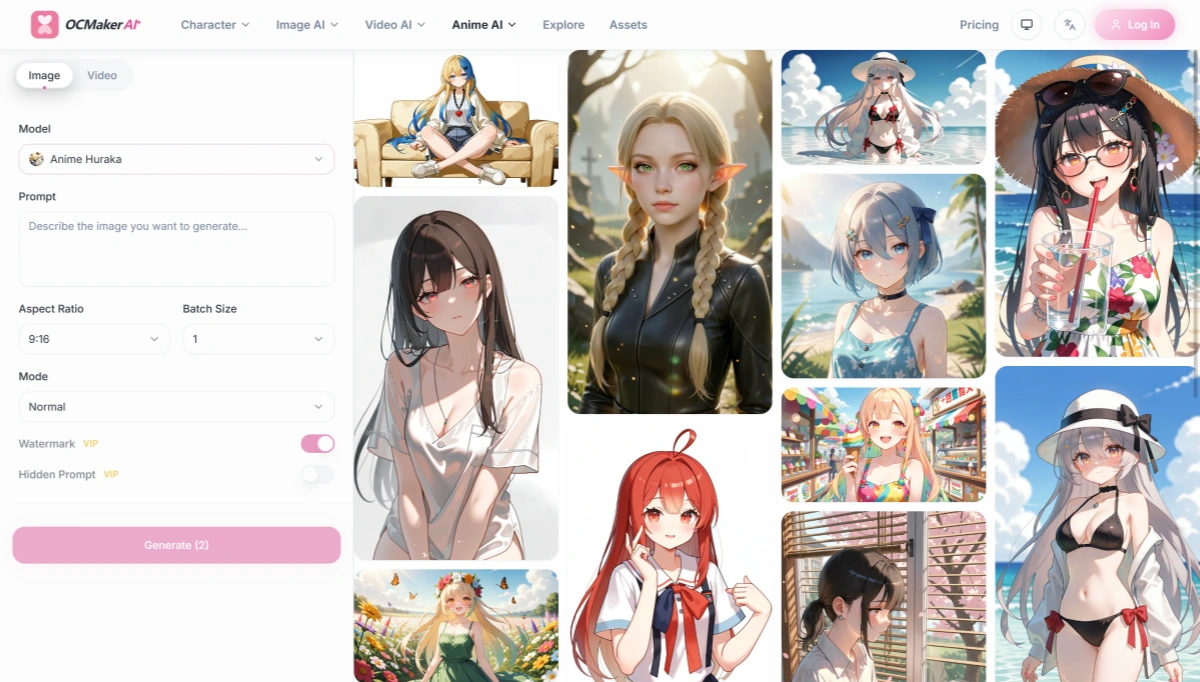
OCMaker AI is built around original character creation rather than simple one-off image generation. It can help create anime portraits, full-body characters, different outfits, poses, and visual variations from a written concept or reference image.
Its workflow is useful when you want to develop the same character across multiple images. You can begin in the OCMaker AI Create workspace, then use the platform’s AI Anime Generator for anime character concepts and related image workflows.
5.2 Best For
- Original character design
- Anime avatars and profile images
- Character sheets and visual references
- VTuber and virtual idol concepts
- Creators who want image and video options in one platform
5.3 Key Features
- Text-to-image character generation
- Image-based character creation
- Anime portraits and full-body designs
- Pose and composition control
- Outfit and expression variations
- Character consistency across creative workflows
- Anime video and animation-related tools
- Image and text-to-video options
- Commercial-use options on paid plans
5.4 Pros
- More focused on original character development than a general image generator
- Useful for creating multiple versions of one character
- Includes pose, style, and character-focused workflows
- Can support projects that move from still images into video
- Paid plans do not add watermarks according to the official pricing page
5.5 Cons
- The credit system may take time to understand
- Some advanced workflows require a paid plan
- Output quality can still vary depending on the prompt and reference image
- Users who only need occasional portraits may not use the full feature set
5.6 Pricing
According to the OCMaker AI official pricing page, the annual-billing prices currently include:
- Basic: $8/month, billed annually at $96, with 150 credits per month
- Standard: $20/month, billed annually at $240, with 400 credits per month
- Pro: $72/month, billed annually at $864, with 1,500 credits per month
The official page also lists image and video allowances, no-watermark output, private creation, and commercial-use benefits for paid plans. The exact number of outputs depends on the generation type and credit cost.
5.7 Why We Picked It
OCMaker AI takes the first position because its workflow is closely aligned with the needs of original-character creators. It is not limited to generating a random anime portrait. The platform is more useful when you need to develop a recognizable character, adjust the character’s pose or appearance, and continue using that character across different creative formats.
6. PixAI
6.1 Overview
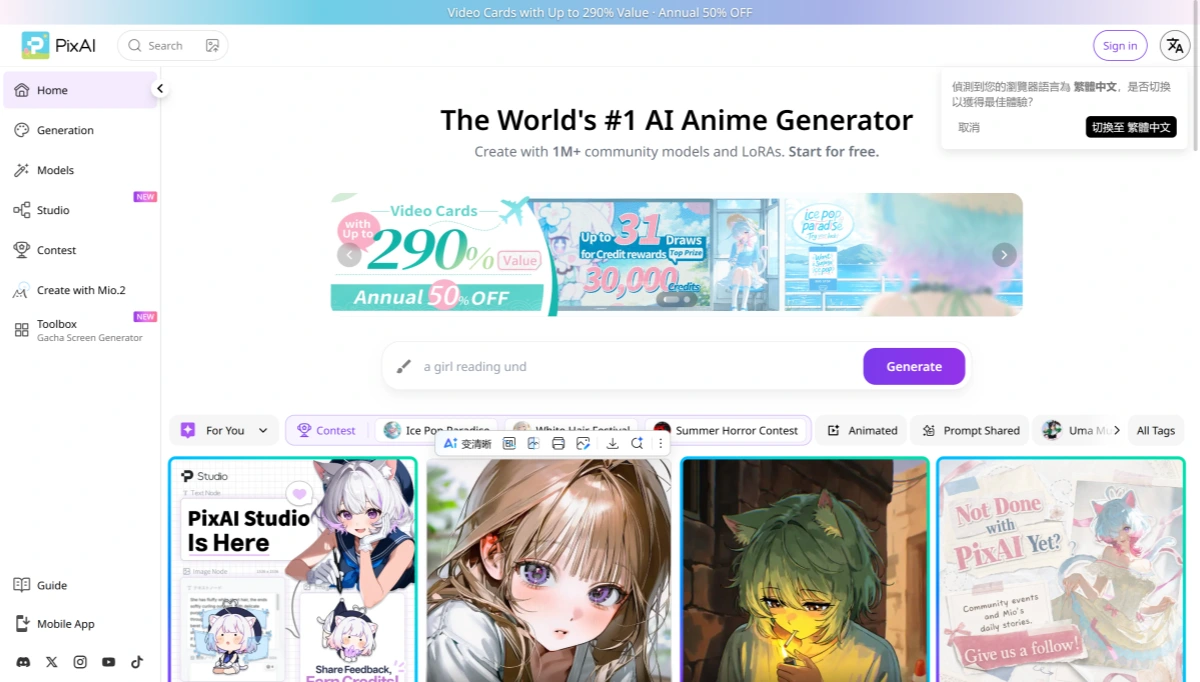
PixAI’s official documentation describes it as an AI image platform focused on anime, manga, and illustration styles. It combines image generation with community models, LoRAs, image editing, and original-character workflows.
PixAI is particularly interesting for users who want to explore different anime styles instead of relying on a single fixed model. Its community section also gives creators access to shared models and reusable setups.
6.2 Best For
- Anime and manga-style illustrations
- Users who want many model choices
- Character creation with LoRAs
- Creators who enjoy browsing community artwork
- Users looking for a long-term free-credit option
6.3 Key Features
- Text-to-image anime generation
- Image-to-image editing
- Original character design
- Community models and LoRAs
- Character style customization
- Image enhancement and retouching
- Anime illustrations and scene creation
- Daily free-credit claims
- Web and mobile access
6.4 Pros
- Strong anime and illustration focus
- Large community model ecosystem
- Useful for users who want detailed style control
- Free users can claim credits regularly
- Credits do not expire according to the official documentation
6.5 Cons
- The large number of models can feel confusing to beginners
- Results may vary significantly between community models
- Credit costs depend on the selected model and generation settings
- Some advanced features are tied to membership levels
6.6 Pricing
PixAI has a free tier and three paid membership levels. The official PixAI membership pricing page currently lists:
- Free: $0
- Starter: $9.99/month, or $7.99/month based on annual billing
- Plus: $29.99/month, or $22.99/month based on annual billing
- Premium: $49.99/month, or $35.99/month based on annual billing
Monthly bonus credits are listed as 300,000 for Starter, 1,000,000 for Plus, and 2,000,000 for Premium. PixAI also provides daily free credits and additional community-based ways to earn credits.
6.7 Why We Picked It
PixAI is a good choice for creators who want to experiment. It offers more model and LoRA variety than a basic prompt-only generator, which makes it easier to explore different character styles. The tradeoff is that users need to spend more time learning which models and settings match their preferred look.
7. SeaArt
7.1 Overview
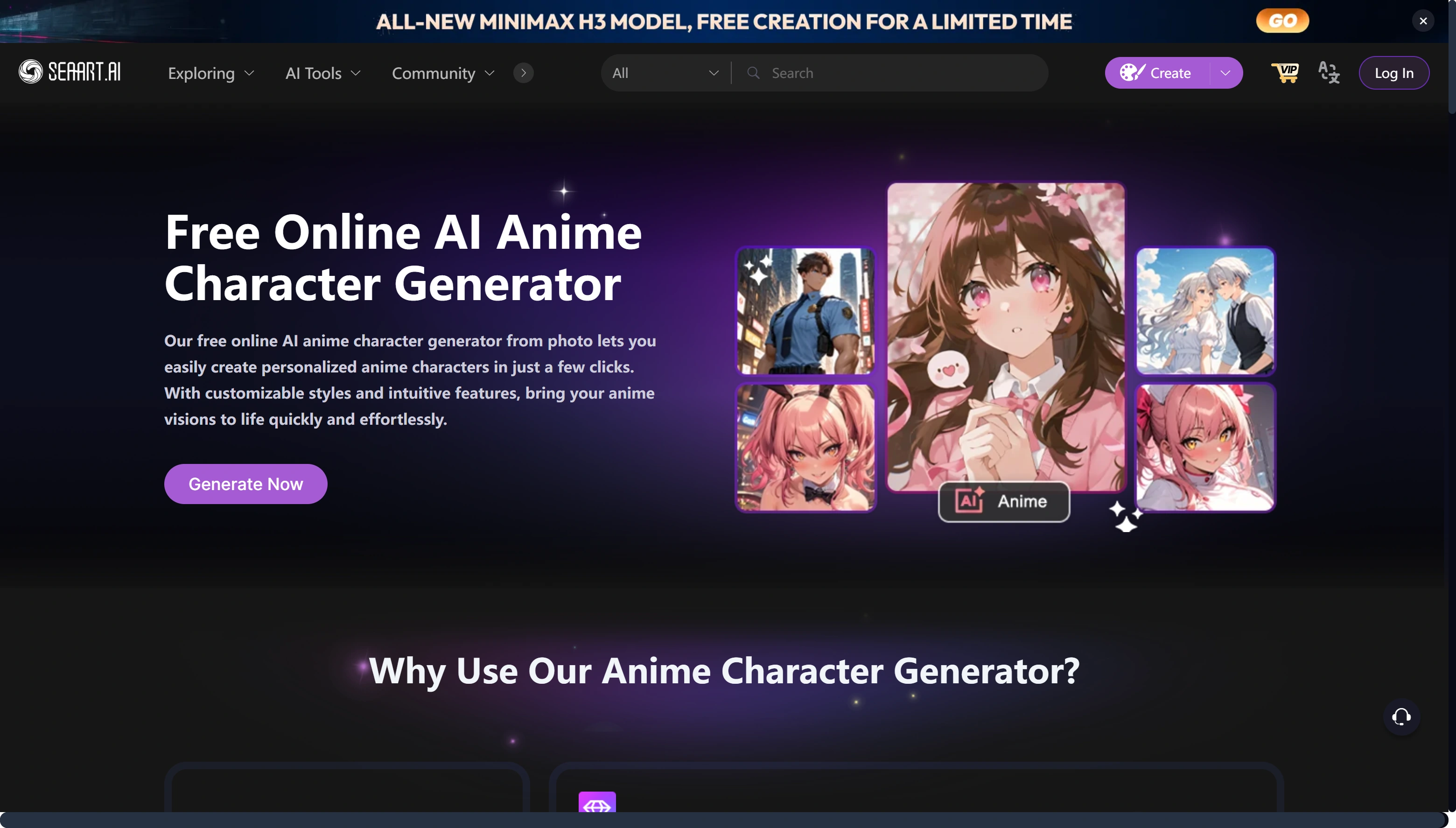
SeaArt’s anime character generator supports photo-to-anime creation and style-based character generation. Its workflow is straightforward: upload an image or start with a character idea, choose a visual style, and generate variations.
SeaArt is better suited to fast visual exploration than detailed character production. It is convenient for profile images, social media artwork, casual character concepts, and quick style experiments.
7.2 Best For
- Beginners who want a simple workflow
- Photo-to-anime transformations
- Anime profile pictures
- Quick style and filter experiments
- Social media visuals
7.3 Key Features
- Photo-to-anime generation
- Text-based character creation
- Multiple anime filters and styles
- 2D and 3D character options
- Community models and creative resources
- Image and video creation features
- Daily stamina for paid users
- Commercial-use guidance from the platform
7.4 Pros
- Easy to start with
- Photo-based anime conversion is convenient
- Large selection of styles and filters
- Suitable for quick character variations
- Offers both free and paid usage options
7.5 Cons
- Character consistency may require additional model or reference work
- The platform has many features, which can make the interface feel busy
- Stamina and credit rules are different
- Exact subscription prices may vary by region and exchange rate
7.6 Pricing
SeaArt’s official pricing page does not consistently display fixed plan prices in the same way as the other tools in this comparison. Instead, it emphasizes daily stamina and plan allowances.
The SeaArt official pricing and SVIP page currently states:
- Free users: 0 free stamina daily, allowing about 21 image creations
- Beginner SVIP: 300 stamina per day, allowing about 50 images
- Standard SVIP: 700 stamina per day, allowing about 116 images
- Professional SVIP: 2,100 stamina per day, allowing about 350 images
- Master SVIP: 3,500 stamina per day, allowing about 583 images
SeaArt also advertises up to 10% off on yearly plans. The site notes that displayed prices may exclude taxes and can change because of exchange-rate differences. A three-day trial may also apply depending on the plan and region.
7.7 Why We Picked It
SeaArt earns this position because it makes the first step easy. Someone who has a photo, a rough idea, or a preferred visual filter can get a usable anime character without learning complex model settings. It is less appealing for creators who need strict character consistency across a large project.
8. DomoAI
8.1 Overview
DomoAI is useful when an anime character image is only the beginning of the project. Its official anime text-to-image generator{rel="nofollow noopener noreferrer"} supports anime characters, VTuber portraits, virtual idol concepts, story scenes, and video-ready key visuals.
After generating an image, users can continue into editing, image-to-video, frames-to-video, character-to-video, or talking-avatar workflows. That makes DomoAI a practical option for creators who want to turn still anime artwork into short-form content.
8.2 Best For
- Anime characters for video projects
- VTuber and virtual avatar concepts
- Social media content creators
- Storyboard and key-visual creation
- Users who want image and video features together
8.3 Key Features
- Text-to-image anime generation
- Anime-specific model selection
- More than 30 listed style or model options
- AI Optimize for improving rough prompts
- Image editing
- Image-to-video generation
- Frames-to-video workflows
- Character-to-video features
- Talking-avatar workflows
- Image upscaling
8.4 Pros
- Connects character generation with video tools
- Useful for anime shorts and social content
- AI Optimize can help with less precise prompts
- Supports several follow-up creative workflows
- Paid plans include no-watermark output
8.5 Cons
- Credit usage depends on the selected workflow
- Advanced video features can consume credits quickly
- Users who only want still images may not need the broader platform
- Relax Mode is slower than fast generation
8.6 Pricing
According to the DomoAI official plans and pricing guide, the current plans include:
- Free trial: 25 credits
- Basic: $9.99/month, or $8.99/month with annual billing, including 500 credits per month
- Standard: $27.99/month, or $19.99/month with annual billing, including 1,500 credits per month
- Pro: $69.99/month, or $49.99/month with annual billing, including 4,000 credits per month
Standard and Pro plans include unlimited Relax Mode generations, although processing may be slower when demand is high. Subscription credits reset each billing cycle and do not roll over.
8.7 Why We Picked It
DomoAI is a sensible middle ground for creators who want to generate an anime character and then do something with it. The platform’s strongest advantage is the connection between image creation, animation, video, and avatar tools. If your final goal is a moving character rather than a static illustration, DomoAI deserves a close look.
9. NovelAI
9.1 Overview
NovelAI is a prompt-driven creative platform with a strong focus on anime-style image generation. Its official image documentation explains how users can work with prompts, tags, image references, and NovelAI’s own image models.
NovelAI is less of an all-in-one character production suite. It is better for users who enjoy refining prompts and building a visual concept through repeated generations.
9.2 Best For
- Detailed anime illustration
- Prompt-focused creators
- Character concepts for stories and world-building
- Users who prefer a dedicated anime image model
- Writers who also want AI-assisted story tools
9.3 Key Features
- Anime-focused image generation
- Prompt and tag controls
- Image-to-image workflows
- Character concept development
- Story and world-building features
- Image generation using ImageAnlas
- Large-context writing features on higher plans
- Commercial-use considerations documented by the company
9.4 Pros
- Strong fit for anime-focused artwork
- Detailed prompt and tag control
- Useful for narrative character development
- Clear subscription tiers
- Higher plans provide larger ImageAnlas allowances
9.5 Cons
- The interface is less beginner-friendly than simple image generators
- There is no permanent free plan
- Image generation uses ImageAnlas
- It does not provide the same built-in video workflow as DomoAI or OCMaker AI
9.6 Pricing
The NovelAI official subscription documentation currently lists:
- Paper free trial: 30 image generations up to 1024×1024, plus text and text-to-speech trial access
- Tablet: $10/month, including 1,000 ImageAnlas
- Scroll: $15/month, including 1,000 ImageAnlas and a larger story context size
- Opus: $25/month, including 10,000 ImageAnlas and additional premium features
NovelAI’s free image trial is available once after account registration rather than as a recurring monthly allowance.
9.7 Why We Picked It
NovelAI remains a good option for people who care more about prompt precision and anime illustration quality than about a simplified interface. It takes more effort to learn, but that extra control can be useful when a character has very specific clothing, mood, visual traits, or story context.
10. Feature Comparison Matrix
| Feature | OCMaker AI | PixAI | SeaArt | DomoAI | NovelAI |
|---|---|---|---|---|---|
| Anime character generation | Yes | Yes | Yes | Yes | Yes |
| Text-to-image | Yes | Yes | Yes | Yes | Yes |
| Image-to-image | Yes | Yes | Yes | Yes | Yes |
| Photo-to-anime | Available | Available | Strong focus | Available | Available |
| Pose control | Strong | Model-dependent | Limited | Moderate | Prompt/reference-based |
| Character consistency | Strong focus | Strong with models and LoRAs | Moderate | Moderate | Prompt-based |
| Community models | Not the main focus | Strong | Strong | Available | Limited |
| Image editing | Yes | Yes | Yes | Yes | Yes |
| Video or animation workflow | Yes | Available | Available | Strong | No built-in video workflow |
| Free access | Trial | Daily credits | Free access | Free credits | One-time trial |
| Commercial-use information | Listed on paid plans | Check plan and content rules | Check model and content rights | Check terms | Review content rights |
11. Pricing Comparison
| Tool | Free Access | Lowest Paid Plan | Higher-Tier Example | Pricing Notes |
|---|---|---|---|---|
| OCMaker AI | Free trial | $8/month annually | $72/month annually | 150 to 1,500 monthly credits across listed plans |
| PixAI | Free tier with daily credits | $9.99/month | $49.99/month | Annual average prices are lower |
| SeaArt | About 21 images/day for free users | Dynamic | Dynamic | SVIP uses daily stamina; taxes and exchange rates may affect payment |
| DomoAI | 25-credit trial | $9.99/month | $69.99/month | Standard and Pro include unlimited Relax Mode |
| NovelAI | 30-image trial | $10/month | $25/month | Image generation uses ImageAnlas |
Prices and allowances were checked against official product or documentation pages on August 10, 2026. Taxes, regional pricing, app-store prices, currency conversion, and promotional offers may change the final amount.
12. Which Tool Should You Choose?
Do you want to build and reuse an original anime character?
|
|-- Yes --> Do you also need pose control or video-related workflows?
|           |
|           |-- Yes --> OCMaker AI
|           |
|           |-- No --> Do you want community models and LoRAs?
|                       |
|                       |-- Yes --> PixAI
|                       |-- No --> NovelAI
|
|-- No --> Are you starting with a photo?
            |
            |-- Yes --> SeaArt
            |
            |-- No --> Do you need to turn the character into video or an avatar?
                        |
                        |-- Yes --> DomoAI
                        |-- No --> NovelAI or PixAI
13. FAQ
(1) What is the best AI anime character generator overall?
OCMaker AI is the best overall choice in this comparison for users who want to create original anime characters and reuse them across different poses, styles, and creative formats.
(2) Which tool is best for anime character consistency?
OCMaker AI and PixAI are the strongest options to consider. OCMaker AI is focused on original-character workflows, while PixAI provides model and LoRA-based customization.
(3) Can I create an anime character from a photo?
Yes. SeaArt is especially straightforward for photo-to-anime creation. OCMaker AI, PixAI, DomoAI, and NovelAI can also support image-based workflows, although the available controls differ.
(4) Which tool is best for VTuber characters?
OCMaker AI and DomoAI are both suitable. OCMaker AI focuses more on character creation and consistency, while DomoAI is useful if you want to continue from a still character image into avatar or video content.
(5) Which AI anime character generator has the best free option?
PixAI has one of the more flexible free options because users can claim daily credits and earn additional credits through platform activities. SeaArt also offers free creation, while NovelAI provides a one-time trial rather than a recurring free plan.
(6) Can I use AI anime characters commercially?
That depends on the platform, subscription plan, model, and source material. OCMaker AI lists commercial-use benefits on paid plans, while other platforms may apply different rules to user-generated content, community models, or uploaded references. Review the official terms before selling artwork or using it in a commercial project.
14. Conclusion
The best AI anime character generator depends on what happens after the first image is created.
OCMaker AI is the strongest fit for original-character development, pose variations, and anime-focused creative workflows. PixAI is better for users who want community models and LoRAs. SeaArt is convenient for quick photo transformations and style experiments. DomoAI is the better choice when the character will move into video or avatar content. NovelAI is well suited to creators who prefer detailed prompts and a dedicated anime illustration environment.
For most users starting a new original-character project, OCMaker AI is the most practical first option. For deeper model exploration, PixAI and NovelAI are worth considering, while SeaArt and DomoAI work well for more specific photo or video-related needs.