AI Muppet Generator

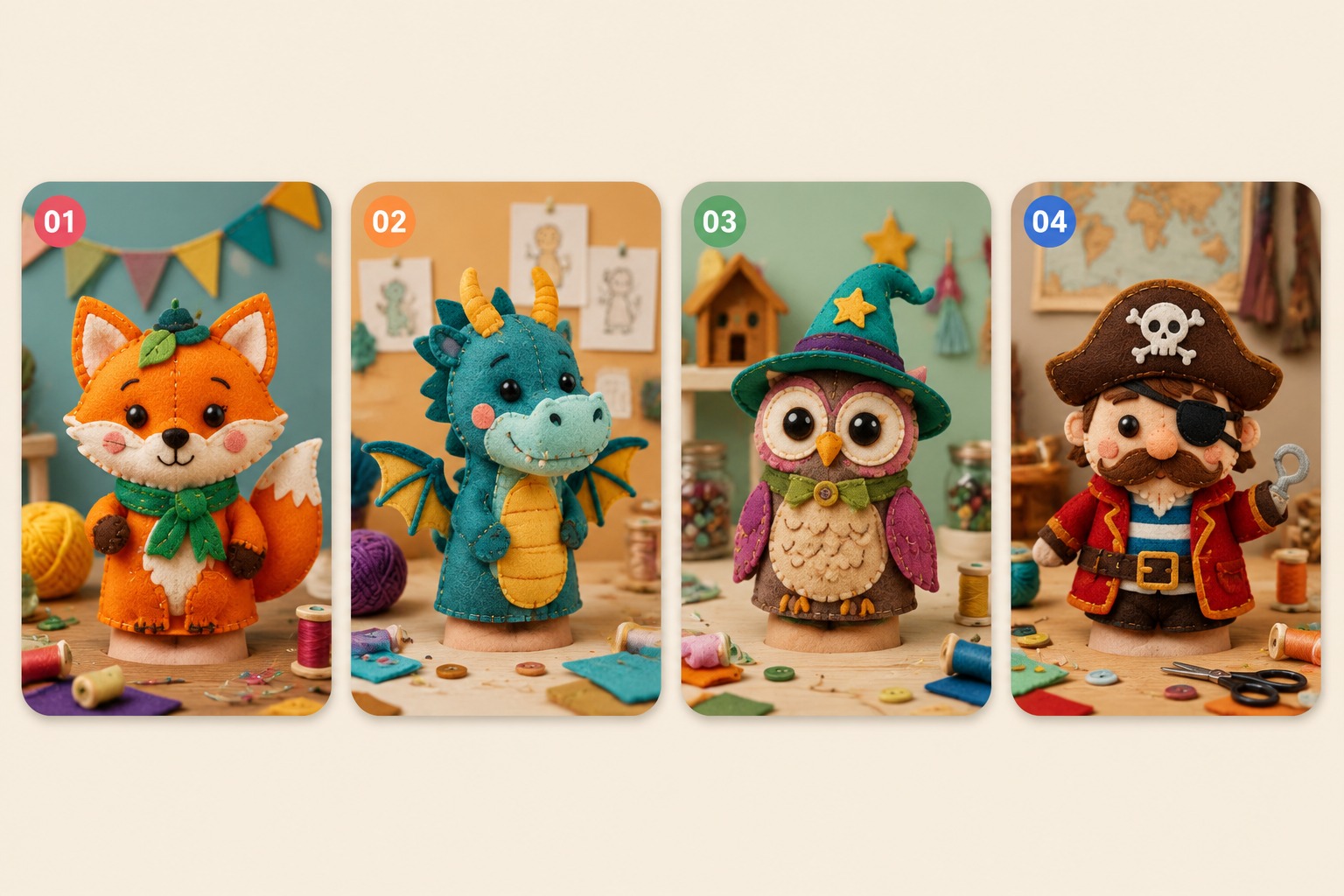
Create original felt puppet portraits with an AI Muppet Generator that focuses on soft fabric texture, big expressive features, playful silhouettes, and prompt controls for safer puppet-inspired characters. Strongest fit is original puppet avatars and mascots; weaker fit is exact franchise imitation or complex prop-heavy scenes. Use it to choose among paths: puppet avatar, cartoon icon, or general scene generation. Compare workflow fit before revision.

AI Muppet Generator

What Makes AI Muppet Generator Useful

0104

Make Puppet Prompts Feel Soft, Tactile, and Real

A strong AI muppet generator starts with the right visual language. Guide the model toward soft felt texture, visible fabric fibers, stitched smiles, yarn hair, foam-like structure, button-style eyes, and handmade puppet charm instead of smooth plastic cartoon surfaces. With OCMaker AI, it becomes much easier to build puppet-style images that feel warm, playful, and visually convincing.

Felt Texture Prompts

0204

Create Original Puppet Characters With More Personality

Instead of leaning on familiar protected characters, you can design a puppet-inspired original from your own color palette, face shape, costume idea, role concept, and mood. That gives you more freedom to create a teacher puppet, comedy sidekick, quirky host, or story character that feels fresh and unique while still working beautifully with an AI anime generator workflow.

Original Puppet Design

0304

Perfect For Avatars, Mascots, and Fun Character Branding

Puppet-style characters are naturally friendly and memorable, which makes them a great fit for profile images, social content, educational projects, YouTube channels, light storytelling, and small brand mascots. A good AI muppet generator helps you create charming faces and expressive designs that feel approachable at a glance.

Avatar and Mascot Ready

0404

Catch Small Errors Before You Call It Finished

Puppet images look best when the little details hold together. A review-friendly workflow reminds you to check seams, eye placement, hand shapes, props, mouth construction, and costume details before treating the image as final. That extra pass helps prevent uncanny results and keeps the finished puppet design looking more polished, balanced, and believable.

Review-Friendly Workflow

Why Choose AI Muppet Generator?

Choose among paths before you refine puppet, cartoon, or general avatar outputs

  • 01

    Soft Felt Texture

    Best fit when you need a fast starting path with enough detail to judge the next generation.

  • 02

    Expressive Face Design

    Tune eye spacing, mouth shape, brows, and nose size for a clear puppet personality.

  • 03

    Original IP Direction

    Create puppet-inspired designs without copying protected franchise characters.

  • 04

    Mascot-Friendly Output

    Design warm, memorable characters for profiles, explainers, and social content.

  • 05

    Simple Scene Control

    Use clean backgrounds that keep fabric texture and facial expression readable.

  • 06

    Variation Workflow

    Keep the same puppet identity while testing outfits, props, and poses.

How to Use AI Muppet Generator

A short workflow from idea to usable output

  1. Describe the Puppet

    Write the character role, fabric color, face shape, eye style, mouth seam, clothing, and personality hook.

  2. Remove Copycat Cues

    Replace protected names, exact costumes, and franchise-specific traits with original puppet construction details.

  3. Generate and Review

    Create the portrait, then check eyes, seams, hands, props, and overall originality before making variations.

AI Muppet Generator Example Ideas

Use these examples as direction for your own original prompts and visual tests.

  • An original blue felt puppet host with round eyes and a striped vest01

    Blue Felt Host

  • A fuzzy orange puppet creature with tiny horns and a warm studio background02

    Cozy Monster Friend

  • A soft green puppet mascot with hoodie, badge, and simple product pose03

    Brand Mascot Puppet

Frequently Asked Questions

Common Questions About AI Muppet Generator

What is an AI Muppet Generator?

It is an AI character tool for creating original puppet-inspired portraits with felt texture, expressive faces, soft shapes, and playful costume ideas. The goal is not to copy a protected character, but to build a new puppet-style avatar or mascot from your own brief.

Can I create a muppet style character online?

Yes. With OCMaker AI, you can describe a puppet character online, generate a portrait, then refine fabric, expression, clothing, and background details until it fits your use case.

Is this an official Muppets tool?

No. This page is for original puppet-inspired character creation. Avoid using protected character names, exact outfits, or franchise-specific traits. Use broad craft details like felt, foam, yarn, stitched mouths, and expressive round eyes instead.

What prompts work best for AI felt puppet portraits?

The best prompts describe construction and texture: felt fibers, foam head shape, stitched mouth line, yarn hair, plastic eyes, soft studio lighting, and simple background. Those details usually help more than vague words like cute or high quality.

Can I use the images as a mascot or avatar?

You can use the workflow to create mascot or avatar concepts, but commercial use depends on the service terms and whether your design is original. For brand work, review the final image carefully and avoid anything that looks too close to a known character.

What are the common limitations?

AI puppet images can produce odd hands, uneven eyes, strange mouth seams, or props with unreadable text. Complex costumes also make the result less puppet-like. A cleaner prompt with fewer competing details is usually easier to control.

How do I keep the same puppet across multiple images?

Keep a short identity anchor with the same fabric color, face shape, eye style, hair or fur detail, outfit anchor, and personality role. Change only the pose, background, or prop when making variations.

How is this different from a cartoon avatar generator?

A cartoon avatar generator often focuses on flat illustration or digital polish. A puppet generator should emphasize tactile construction: felt, foam, stitching, fibers, seams, and simple expressive shapes that look photographed or handcrafted.

When should I choose a puppet generator over a cartoon avatar tool?

Choose the puppet path when tactile felt, foam shapes, seams, and photographed craft texture matter more than clean vector polish. Choose a cartoon avatar workflow when you need flat icons, brand illustration, or simpler shapes for UI use.

Ready to try the AI Muppet Generator?

Free AI Muppet Generator: Create Muppets from Texts & Photos