
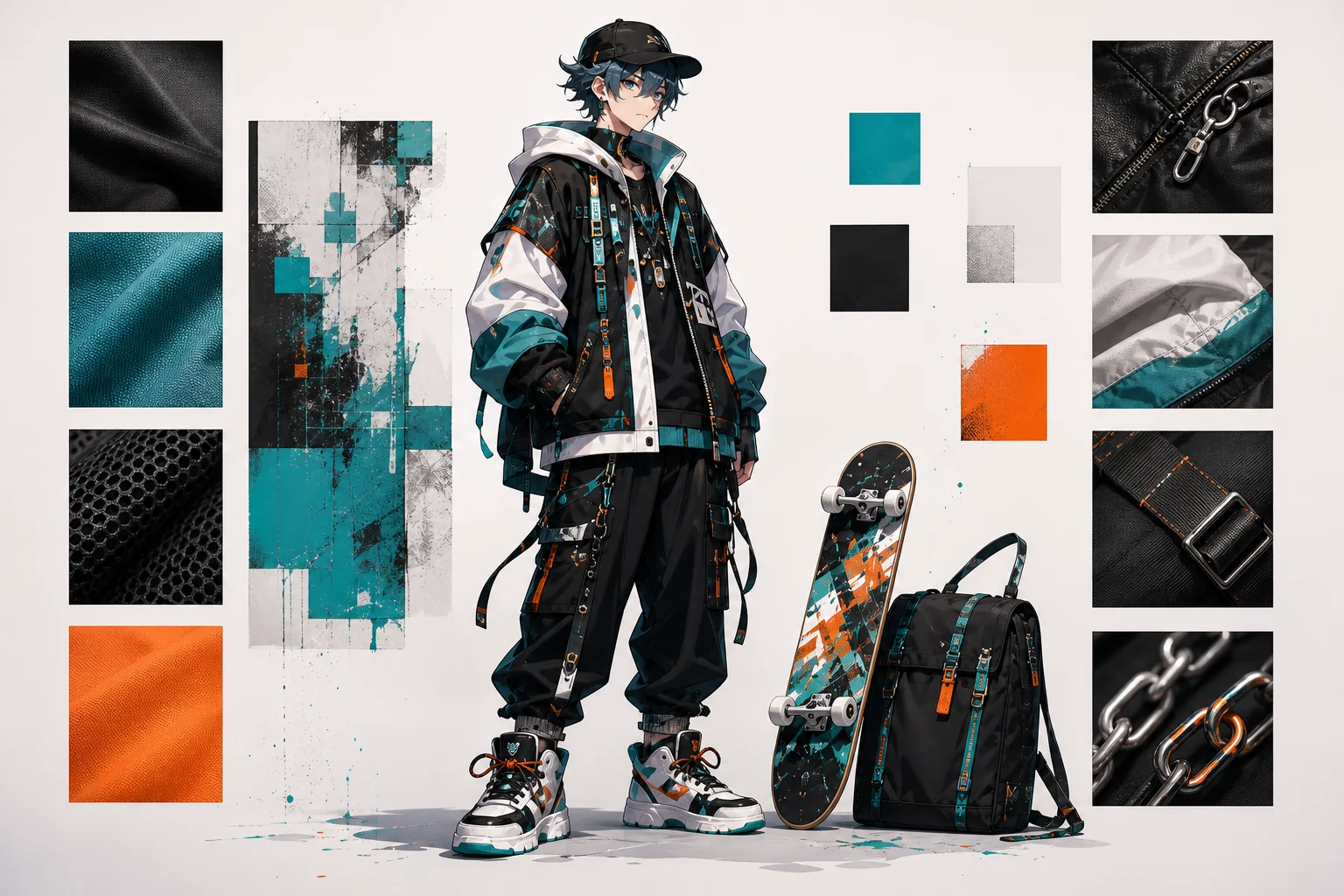
Anime Outfit Generator

Use OCMaker AI as an anime outfit generator for character wardrobe ideas, costume silhouettes, color palettes, and style directions.

Anime Outfit Generator

Anime Outfit Generator Examples

Use these examples to compare composition, readability, and reuse value before saving a final visual direction.

  • Character Role Outfit01

    Character Role Outfit

    Design outfits around the character role, such as student, idol, warrior, mage, cyberpunk traveler, mascot, or casual slice-of-life lead.

  • Color and Material Direction02

    Color and Material Direction

    Use anime outfit maker intent to compare palette, fabric weight, accessories, and silhouette before committing to a final design.

  • Reusable Costume Draft03

    Reusable Costume Draft

    Create outfit concepts that can support OC profiles, reference sheets, cosplay planning, avatar art, or story scene ideas.

Core Results You Can Create

See how OCMaker AI turns rough creative briefs into usable anime visuals, profile assets, and design-ready drafts.

0103

Generate Character Outfit Concepts

OCMaker AI turns a role, setting, and style brief into anime outfit ideas with silhouette, palette, and accessory direction. As an AI anime generator, it helps creators draft costumes for OCs, avatars, story scenes, and character sheets.

Generate Character Outfit Concepts

0203

Match Clothing to Character Role

The tool can translate school, fantasy, idol, cyberpunk, casual, battle, or mascot roles into clothing shape, fabric mood, and visual hierarchy. Users get more practical outputs because the outfit supports who the character is instead of acting as random decoration.

Match Clothing to Character Role

0303

Build Reusable Wardrobe Directions

With text to image generation, OCMaker AI can create outfit drafts for reference sheets, social avatars, illustration prompts, cosplay planning, and design comparison. This is useful for OC maker workflows where the character needs multiple looks without losing identity.

Build Reusable Wardrobe Directions

Practical Checks Before You Save

Use these checks to make the result easier to refine, publish, or reuse.

  • 01

    Silhouette Before Decoration

    Start with the outfit shape and role fit before adding accessories, patterns, or color accents.

  • 02

    Palette and Material Logic

    Use color, fabric weight, and texture cues to make the costume feel connected to the character setting.

  • 03

    Reusable Design Direction

    Keep details original and organized so the outfit can support profiles, avatars, reference sheets, or later illustrations.

How to Use Anime Outfit Generator

Start with a focused creative brief, generate a visual draft, then review clarity and reuse value before saving.

  1. Define the output format

    Name whether you need an icon, cover, outfit, avatar, or concept draft before adding style details.

  2. Generate a focused version

    Use one main subject, mood, and layout goal so the first result is easier to evaluate.

  3. Review before publishing

    Check crop, text safety, originality, commercial risk, and whether the image fits the intended platform.

Anime Outfit Generator FAQ

Answers to common questions before generating and refining your result.

What is Anime Outfit Generator?

Anime Outfit Generator is an AI image tool for creating anime-style wardrobe concepts, costume silhouettes, color palettes, and character fashion drafts. It helps users explore outfit directions before final illustration, reference sheets, or avatar design work.

What can I create with it?

You can create fantasy costumes, school outfits, idol looks, casual anime fashion, cyberpunk clothing, battle outfits, mascot costumes, and OC wardrobe drafts. It is strongest for visual ideation and weaker for exact sewing patterns or production-ready cosplay plans.

Can it work as an anime outfit maker?

Yes. You can describe the character role, setting, mood, color palette, material direction, and accessory level, then use the output as a design draft. The best results connect clothing choices to character identity instead of stacking random details.

Do I need fashion or drawing experience?

No. Beginners can describe a role and mood in plain language. Artists, writers, and designers can use the generated outfit as a starting point, then refine anatomy, construction details, fabric behavior, and continuity across multiple character poses.

Can I use generated outfit ideas commercially?

Commercial use may depend on OCMaker AI terms, your prompt, and whether the design includes protected logos, uniforms, branded patterns, or copied character costumes. For merchandise, games, or client projects, review licensing and legal requirements first.

What copyright or trademark risks should I check?

Avoid copying recognizable anime uniforms, brand logos, team marks, luxury patterns, or exact character costumes. If the outfit will be published or sold, review the final image for protected symbols, trade dress, and accidental resemblance before use.

Does Anime Outfit Generator offer free credits?

OCMaker AI may offer free credits or a free trial so users can test outfit generation first. After credits are used, more generations may require paid credits or a plan. Check the current pricing page because credit rules may change.

What input creates better outfit results?

Use a focused brief with character role, setting, silhouette, palette, material mood, and accessory limit. Avoid requesting too many clothing eras or references at once because overloaded prompts often create messy, inconsistent costume details.

Create a Cleaner Anime Visual Draft

Open OCMaker AI, describe the format, subject, and style direction, then refine the strongest result into a usable visual asset.

Free Anime Outfit Generator for Character Outfit Ideas