candidate-0
candidate-1
candidate-2
Empty state

Cartoon Upscaler

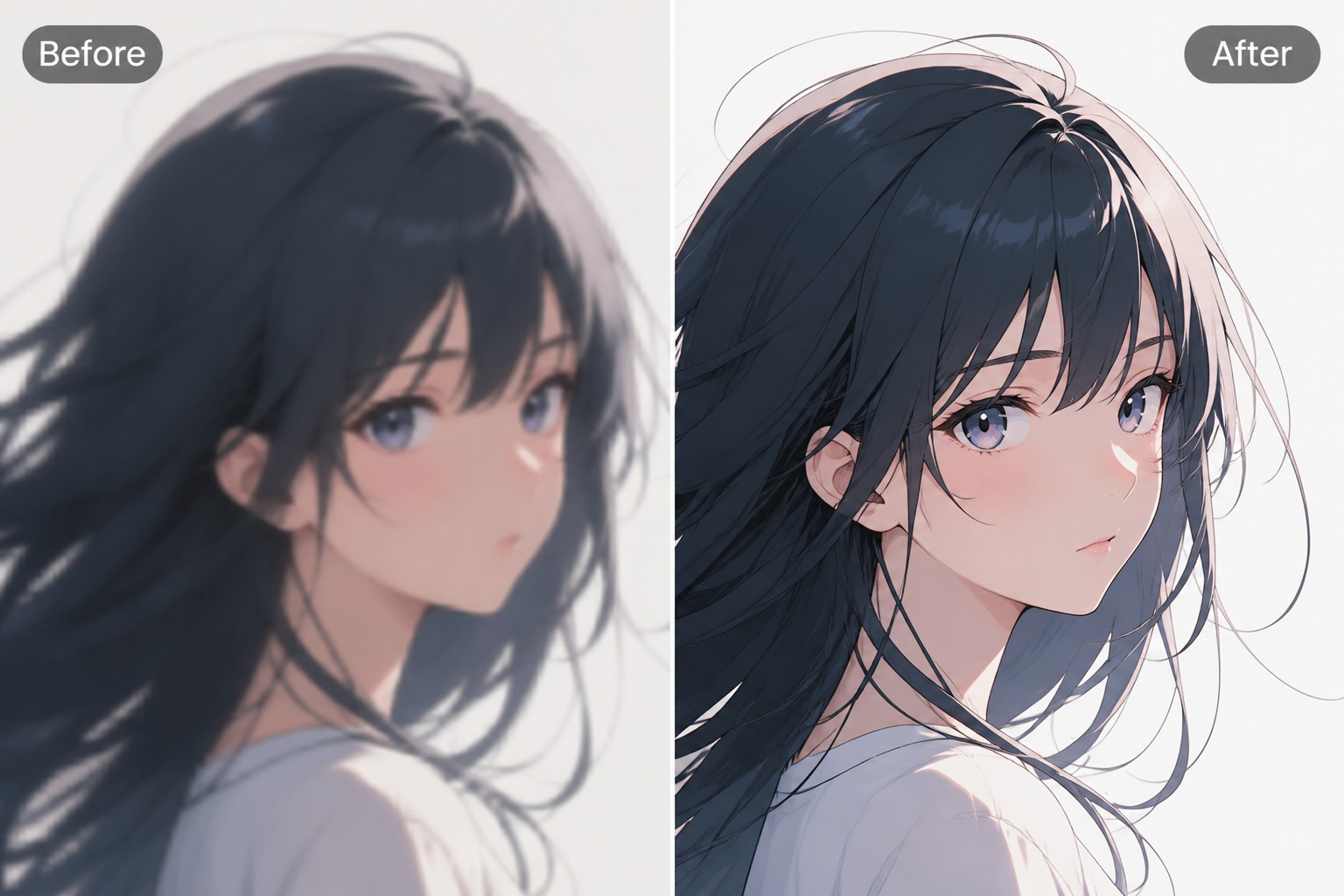
Enhance old animation frames, comic art, and cartoon images with cleaner outlines, smoother color regions, reduced compression, and more useful resolution. Prepare sharper viewing copies, social crops, and restoration references while preserving the source style.

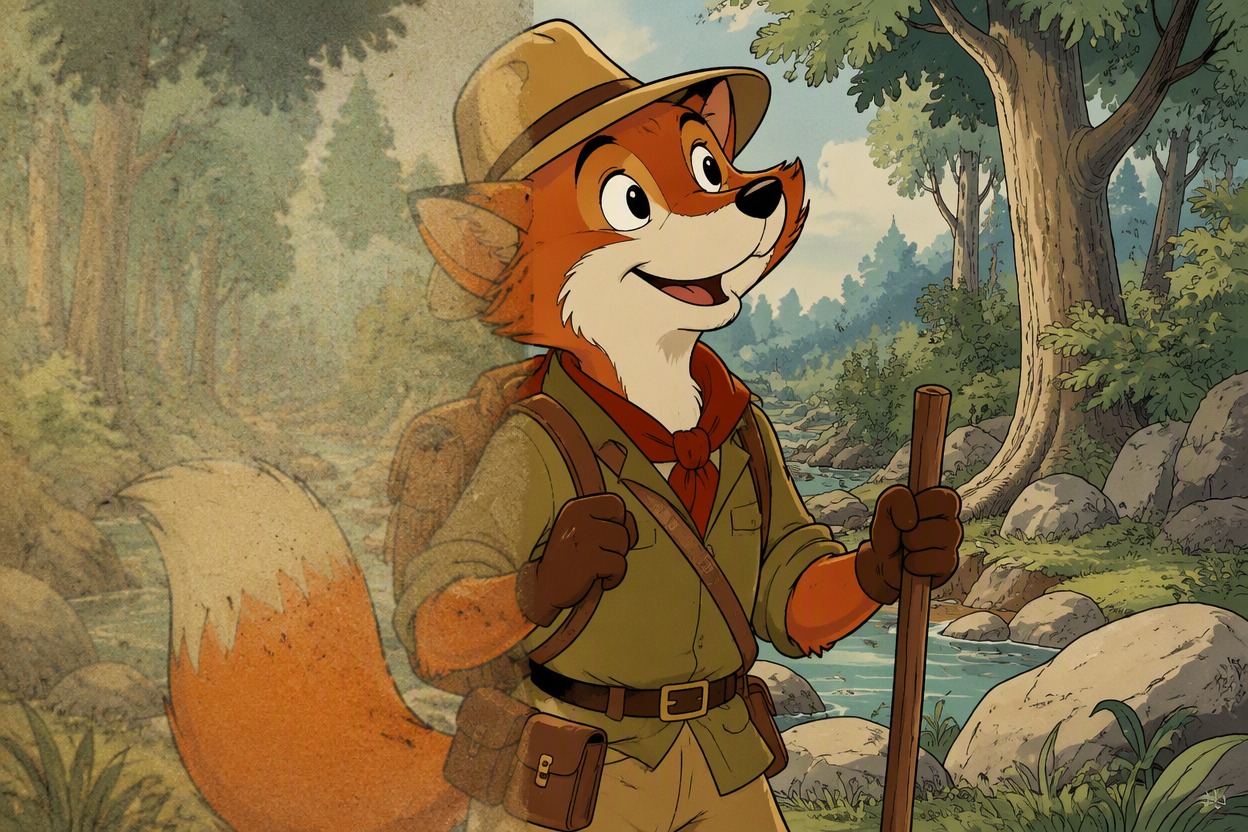
Restored cartoon frame with cleaner lines and colors

Cartoon and Comic Upscaling Results

See restoration directions for vintage animation frames, cel-shaded cartoons, and inked comic artwork with clearer edges and controlled texture.

  • Restored Vintage Frame01

    Restored Vintage Frame

  • Sharper Cel Animation02

    Sharper Cel Animation

  • Clean Comic Close-Up03

    Clean Comic Close-Up

Restore Cartoon Detail Without Losing the Style

Improve outlines, colors, texture, and viewing resolution while keeping the source character and drawing language recognizable.

0104

Recover Cleaner Cartoon Lines

Enhance soft or compressed cartoon artwork by clarifying outlines around faces, hands, props, and costume shapes while keeping the original drawing style recognizable. This is strongest when the source already has readable forms; the AI anime generator workflow should not be treated as a substitute for redrawing details that are completely missing.

Recover Cleaner Cartoon Lines

0204

Refresh Old Cartoon Frames

Use an AI upscaler for old cartoons to reduce blockiness, soften compression noise, and improve edge separation in archived animation stills. The result can be easier to view on modern screens, but film grain, paint texture, and intentional line wobble should remain visible when they are part of the source rather than being polished away.

Refresh Old Cartoon Frames

0304

Improve Comic Art Readability

Apply a comic quality enhancer to inked characters, halftone shading, flat colors, and page textures that became muddy after resizing. Cleaner separation helps cover crops, social previews, and digital archives, while final review should still check screentone patterns, line intersections, and any lettering added outside the image.

Improve Comic Art Readability

0404

Prepare Cartoons for New Formats

Turn an already useful cartoon frame into a cleaner source for profile crops, thumbnails, presentation slides, wallpapers, or reference boards. Start with art you own or can edit, enhance it, and use the OC maker when a new original character is needed instead of trying to repair a low-resolution copy of someone else’s protected design.

Prepare Cartoons for New Formats

Why Use This Cartoon Upscaler

Cleaner viewing copies with practical source checks

  • 01

    Cleaner Ink Contours

    Improve fuzzy outlines around faces, hands, clothing, props, and backgrounds without replacing the drawing style.

  • 02

    Smoother Color Regions

    Reduce blocky gradients and compression noise while preserving cel shading, flat fills, and intentional texture.

  • 03

    Better Old-Frame Viewing

    Make archived cartoon stills easier to inspect on modern screens without promising lost detail can be perfectly recovered.

  • 04

    Sharper Comic Crops

    Clarify inks, halftones, and color boundaries for covers, previews, thumbnails, and digital reference boards.

  • 05

    Style-Preserving Review

    Compare the result against the source for changed faces, over-sharpened lines, erased grain, or invented details.

  • 06

    Flexible Creative Reuse

    Prepare cleaner source art for profile images, slides, wallpapers, social posts, and restoration mockups.

Enhance a Cartoon Image in Three Steps

Move from the best available source to a reviewed restoration

  1. Upload the Clearest Source

    Choose the highest-quality cartoon frame or comic image available and confirm you have permission to enhance it.

  2. Set the Restoration Goal

    Decide whether line clarity, color cleanup, compression reduction, texture preservation, or a larger viewing copy matters most.

  3. Compare Before Downloading

    Inspect faces, hands, ink edges, gradients, grain, halftones, and small details against the original before saving.

Common Questions About Cartoon Upscaling

Practical answers before you enhance an image

Can I use a free cartoon upscaler?

OCMaker AI may offer free credits, trial access, or limited generation under current product rules. Free usage, queues, image-size limits, and paid options can change, so check the current pricing or account page before processing a large cartoon archive or many comic pages.

How does an AI upscaler for old cartoons work?

It analyzes the existing frame and creates a higher-resolution interpretation with cleaner edges, smoother color regions, and less visible compression. It can improve viewing quality, but it cannot reliably reconstruct every line or painted detail that was destroyed in a tiny, blurred, or heavily damaged source.

What does a comic quality enhancer improve?

It can clarify ink contours, halftone patterns, flat colors, facial details, and boundaries between panels or artwork elements. For best results, enhance clean page art without relying on the model to reproduce dialogue. Add or preserve readable lettering separately in an editor when exact text matters.

Will cartoon upscaling change the art style?

A controlled enhancement should preserve the source style, but strong sharpening or detail reconstruction may alter line wobble, grain, faces, hands, or small costume shapes. Compare the original and result closely, and use a gentler setting or another variation if the image starts to look redrawn.

What source image works best?

Use the highest-resolution source you legally have, with visible outlines, moderate compression, and minimal motion blur. Avoid repeated screenshots, tiny crops, heavy overlays, and images where faces or line work are already unreadable. Upscaling improves available information more reliably than completely missing information.

Can I upscale comic pages with text?

You can enhance the artwork, but AI restoration may distort small lettering, captions, and speech balloons. For precise publishing work, keep a separate text layer or replace the lettering manually after enhancing the art. Always proofread names, punctuation, and balloon placement before release.

Can enhanced cartoons be used commercially?

Commercial use depends on the source rights, platform terms, your plan, and applicable law. Enhance only artwork you own, created, licensed, or are authorized to edit. Upscaling a protected cartoon or comic does not create new ownership or remove copyright and trademark obligations.

What should I inspect after enhancement?

Zoom into eyes, mouths, hands, thin ink intersections, costume edges, gradients, grain, halftones, and background geometry. Watch for halos, plastic-looking surfaces, invented marks, erased texture, or changed expressions. Also preview the image at its final display size, not only at full zoom.

Restore Your Cartoon Image With Cleaner Detail

Enhance outlines, colors, texture, and viewing resolution for old animation frames, comic art, and original cartoon images.

Free Cartoon Upscaler: Enhance Cartoon Online