
Pricing
Log In
AI Generator
PNGTuber Maker: Create a Free PNGTuber Avatar with AI
Make a PNGTuber avatar with AI — idle and talking versions of your character in one image, ready for streaming. Upload your OC or describe a new one.
AI PNGTuber Maker
Create a PNGTuber avatar in one step: the generator draws your character twice, side by side — idle with the mouth closed and talking with the mouth open — so you can split it into the two images PNGTuber apps switch between when you speak. Upload your OC to keep its design, or describe a brand-new streamer avatar.
Make My PNGTuber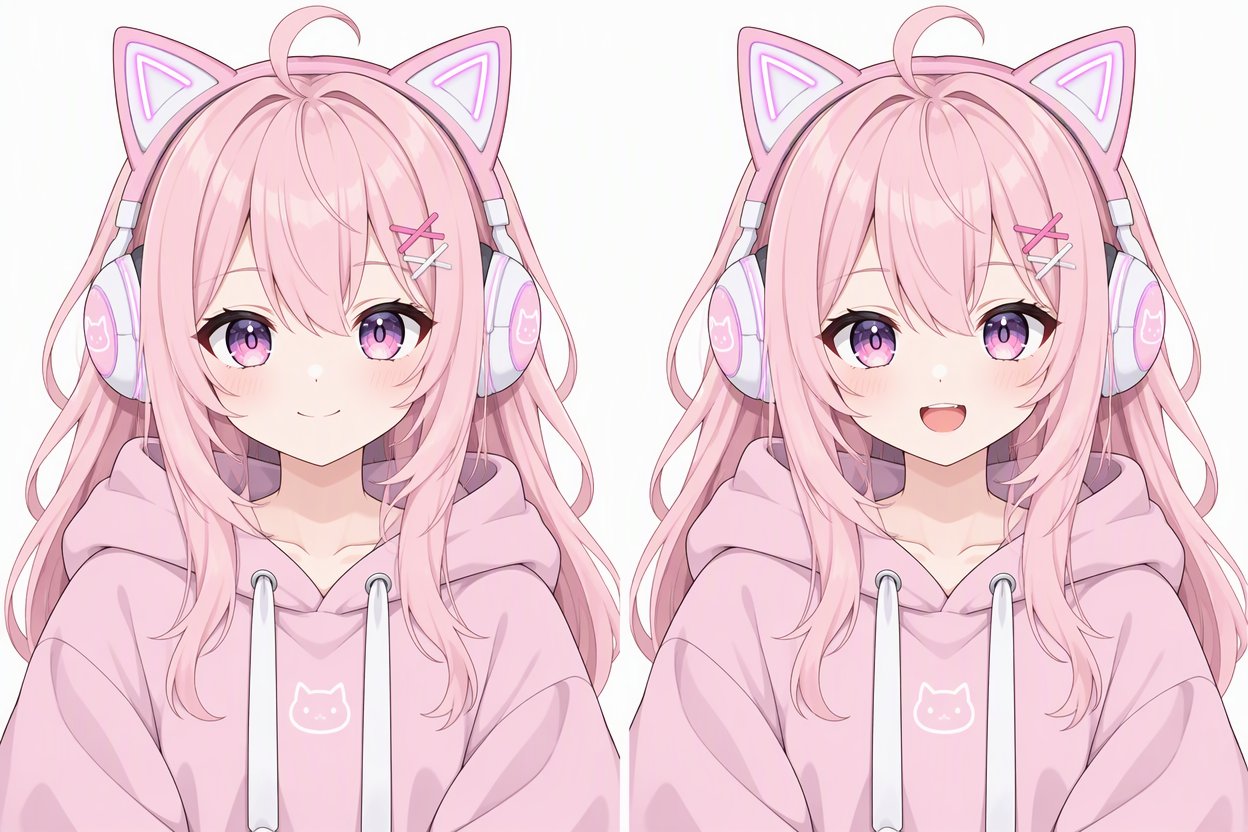
What Makes a Good PNGTuber
Two matching states
The idle and talking images must be identical except for the mouth, or the avatar jumps when you speak. Drawing both in one image keeps them consistent.
Chest-up framing
Streams show your avatar small in a corner, so a clear face and shoulders read better than a full body.
Clean outlines
Bold lines and flat shading stay readable over any game or background.
Your own character
Upload your OC or VTuber design as a reference and the avatar keeps its hair, colors and outfit.
Room for more states
Ask for a blinking, shouting or sleepy version in the prompt to add extra frames later.
Easy to split
The 3:2 image divides into two portrait halves — one for idle, one for talking.
How to Make a PNGTuber
01
Describe or upload your character
Edit the example prompt with your character's look, or upload a picture of your OC so the design stays the same.
02
Generate idle and talking versions
Press Generate to get one image with the idle pose on the left and the talking pose on the right.
03
Split, remove the background and go live
Crop the image into two halves, remove the white background, and load them into your PNGTuber app as the idle and talking frames.
Frequently Asked Questions
PNGTuber Maker FAQ
Go Live as Your OC
Design your PNGTuber in seconds and start streaming with your own character.