Roblox Avatar Maker: Blocky Outfit Concept Images

Roblox Avatar Maker generates blocky avatar concept images with custom outfit palettes, hair silhouettes, accessories, and portrait lighting for visual ideas.

Roblox Avatar Maker

See a blocky outfit idea as an image before deciding where to take the design. Generate avatar concept portraits with balanced hair shapes, layered clothing, and a clear accessory focus.

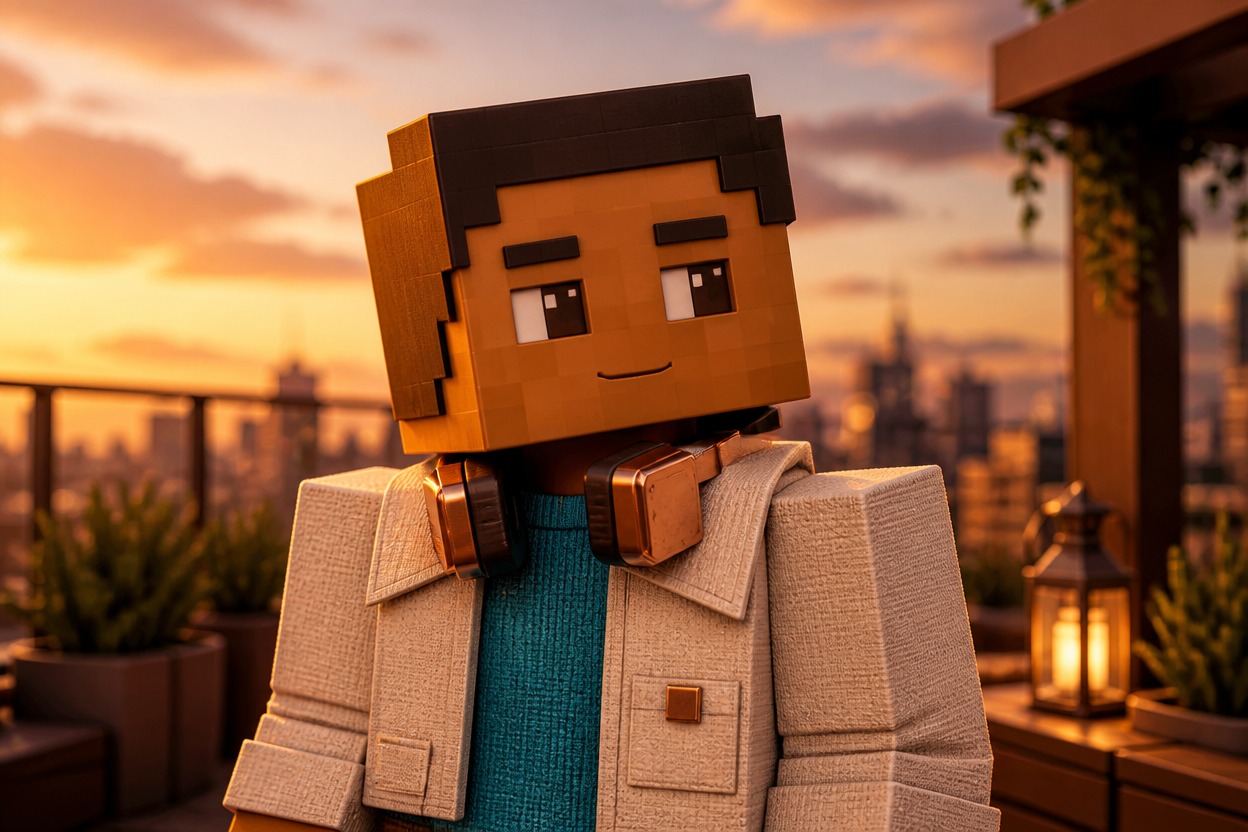
Warm-brown blocky avatar with angular dark hair, cream jacket, teal knit top and copper headphones on a sunset rooftop

Blocky Outfit Ideas With a Clear Visual Hierarchy

Concept images bring the head silhouette, outfit layers, and surrounding mood into one frame.

0104

Outfit Concepts on Blocky Forms

The Roblox avatar creator turns an outfit description into a blocky character concept image. Jacket length, collar shape, and color placement define the upper-body design, giving you a visual reference for an outfit direction rather than a list of clothing names or an automatically equipped avatar.
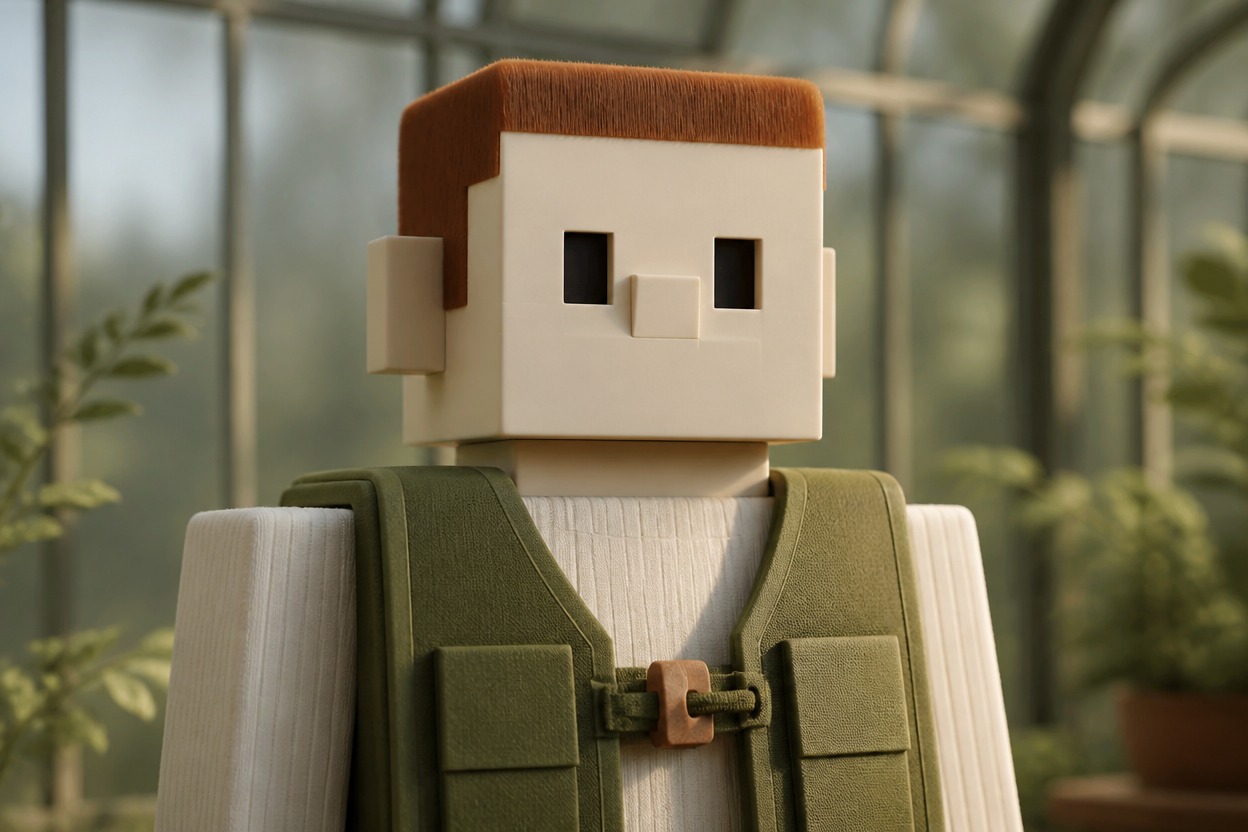
Pale blocky avatar with auburn hair and a moss canvas vest over ivory knit in a greenhouse

0204

Hair That Frames the Head

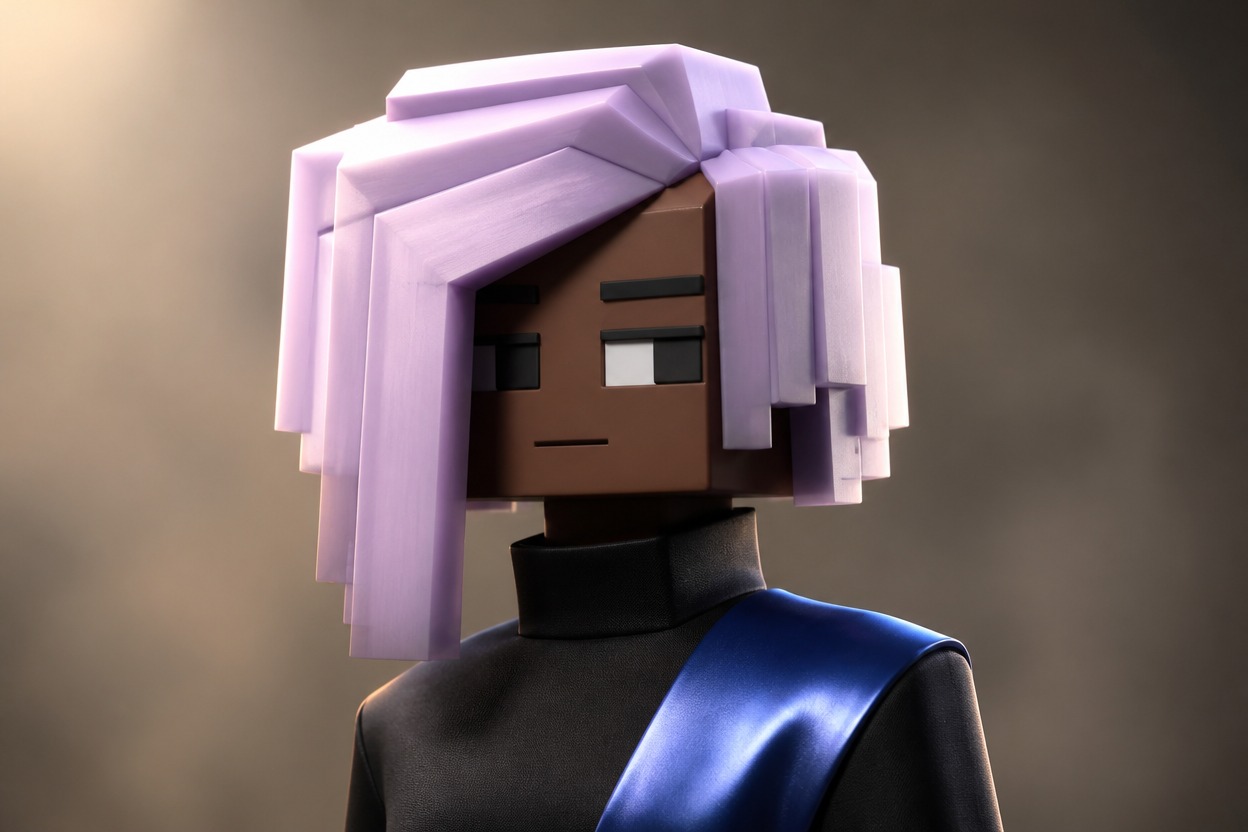
A Roblox avatar generator can visualize a swept fringe, compact curls, or a sculpted bob while retaining a squared head and chunky shoulder proportions. Hair volume and face visibility shape the portrait, helping a strong head silhouette remain the focus instead of disappearing under oversized accessories.

Deep-brown blocky avatar with a pearl-lilac asymmetrical bob and a blue shoulder panel in a warm gray studio

0304

One Accessory, Clear Character

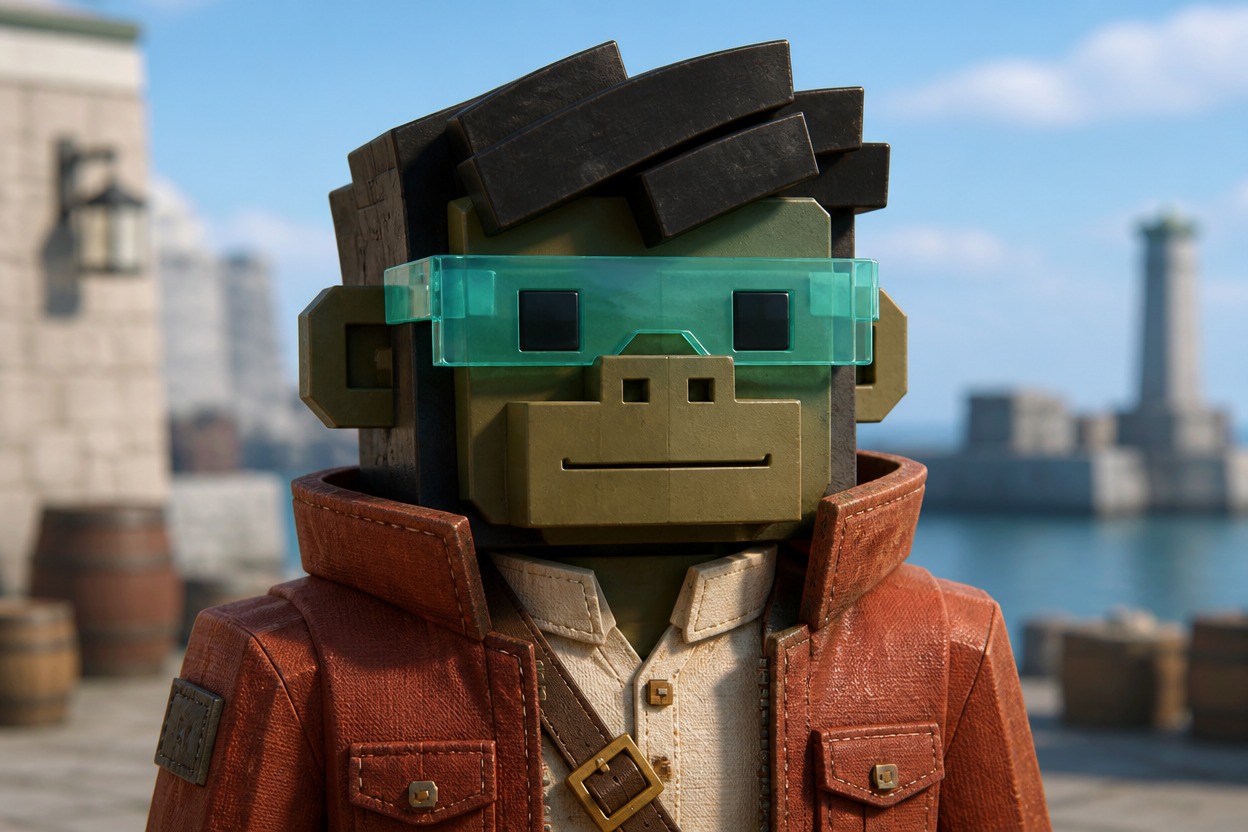
A visor, scarf clasp, or compact headset can give an outfit concept its defining detail. The image can show how that accent sits against the collar and hair, making competing shapes easier to assess. The OC maker is another starting point for character designs outside this blocky style.

Olive-faced blocky courier with a transparent turquoise visor, rust jacket and diagonal strap at a sunny harbor

0404

Portrait Mood Beyond the Outfit

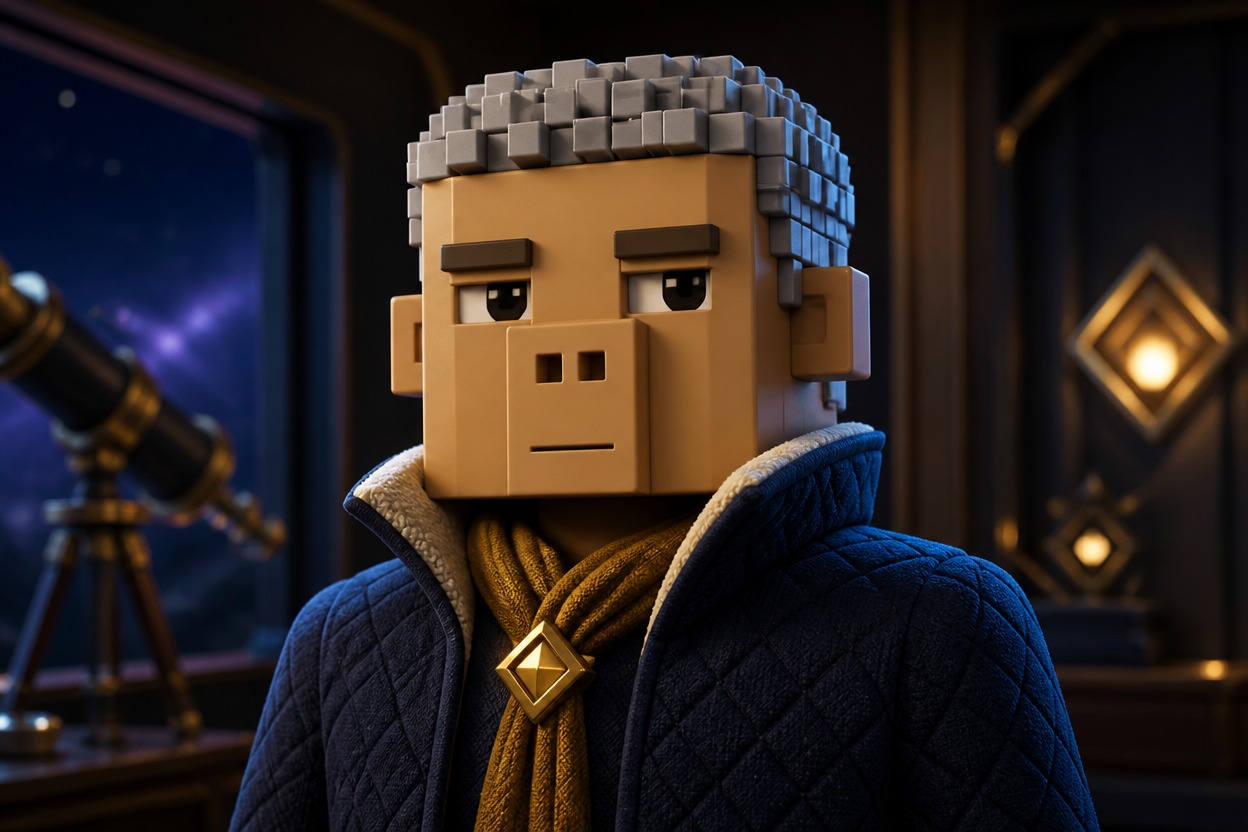
Soft studio light, a cool station backdrop, or a warm terrace can change the feel of the same outfit direction. Lighting and framing turn a blocky design into a profile-image concept. The AI anime generator offers a drawn alternative when your next idea calls for anime styling.

Silver-haired blocky avatar in an indigo quilted jacket and gold scarf clasp in a dark observatory

Sketch the Outfit in Words, Then Inspect the Image

  1. Block Out the Clothing Layers

    Write the main outfit in order from base top to outer layer. Specify a blocky avatar concept, squared head, chunky shoulders, and the two colors that should carry the design.

  2. Reserve Space Around the Face

    Add the hairstyle, expression, and one main accessory. Request chest-up framing with room above the hair; place any bulky headset or visor so it does not cover the eyes.

  3. Compare the Rendered Shapes

    Generate an image and inspect the head, collar, and accessory overlap. Rephrase crowded layers and try again. Treat the result as visual reference; obtaining or building wearable items is a separate process.

More Ways to Read an Outfit Idea

Layer separation and shoulder structure help the outfit remain understandable as a concept.

  • 01

    Get Fabric Separation

    Get contrasting matte and satin clothing surfaces so two adjacent dark layers do not merge into a single slab.

  • 02

    Create Collar Depth

    Create a visible collar gap around the neck area, giving bulky jackets a cleaner relationship with the squared head.

  • 03

    Generate Color Studies

    Generate separate palette studies for the outfit direction without assuming exact item matching between attempts.

  • 04

    Produce Role Cues

    Produce a small utility strap or decorative cuff that suggests a character role without a text label or badge.

  • 05

    Get Shoulder Balance

    Get a balanced shoulder line beneath asymmetrical styling, so the outfit reads as intentional rather than lopsided.

  • 06

    Create Modest Coverage

    Create fully covered outfit concepts with layered tops and closed necklines while retaining the chunky avatar silhouette.

Frequently Asked Questions

Questions About Roblox Avatar Maker

What Is Roblox Avatar Maker?

It is an image-generation tool for blocky avatar outfit concepts and portraits. A prompt guides the visual design; the output is a concept picture, not a playable 3D avatar or an equipped account look.

How Do I Use It to Visualize an Outfit?

Describe the clothing layers, squared head shape, hair, and one main accessory. Generate an image, then revise any overlap that hides the face or makes the outfit hard to understand.

Is Creating an Outfit Concept Free?

OCMaker AI uses tokens and offers a free tier. Check the current plan and cost shown before generating; this does not establish that every avatar concept is free or that use is unlimited.

Can I Use a Blocky Concept Image in a Paid Design Project?

Review current OCMaker AI terms and your input and output rights. Roblox branding, copied catalog designs, and other protected accessories can create separate rights issues; the image is not a license to sell those assets.

Will This Put the Outfit on My Roblox Account?

No. The page produces an image, not an account update. It does not equip clothing, award Robux, or connect the design to your inventory.

Does It Create a Rigged 3D Avatar?

No. A blocky 3D illustration is still a flat image. It does not include a rig, meshes, attachment points, or a model that can be imported as a playable avatar.

Can I Get Shirt Templates or Uploadable Clothing Files?

This page does not create coded clothing templates or game-upload files. A picture of a jacket is an outfit concept, not a tested wearable pattern or a production-ready clothing asset.

Can the Image Identify Exact Catalog Items?

No exact catalog matching or item-link lookup is promised. Generated hair and accessories may be invented, so the pictured combination may not be available to buy or equip.

How Do I Keep a Headset Visible in a Circular Crop?

Use a compact headset and leave margin beside the squared head. Check the image in the target platform’s crop before use, since a tight circle can remove ear cups and wide hair tips.

Why Does the Avatar Look Like a Realistic Human?

Request a squared head, chunky rectangular shoulders, simplified facial marks, and blocky 3D illustration. Remove realistic skin, anatomical body, or photographic portrait language from the prompt.

How Can Dark Hair Stay Separate From a Black Hoodie?

Use a lighter edge behind the hair or a slightly different clothing value. A narrow highlight around the head and a clear collar gap help avoid a single dark silhouette at small sizes.

Who Is Allowed to Use This Concept Generator?

OCMaker AI is restricted to people aged 18 and over, even when the requested image has a playful blocky appearance.

See How Your Next Blocky Look Fits Together

Generate an outfit concept portrait with a clear head silhouette and one accessory worth keeping in focus.

Roblox Avatar Maker: Blocky Outfit Concept Images